
Home Blog Page 6365

Kinect Sports Review

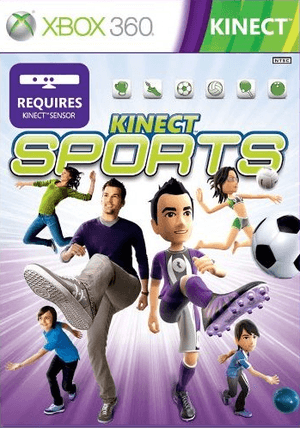
Kinect Sports
Publisher: Microsoft
Developer: Rare Ltd.
Console: Xbox 360 – Kinect (Reviewed)
Release Date: November 4 2010
Price: $49.99 US, £39.99 UK, $89.99 AUS

Overview:
A sports mini game collection is quite literally a must have for every single motion gaming system that has come out so far. The Wii was bundled with the Wii Sports when it was released initially, and even the PS Move brings with it Sports Champions. Now the Kinect has been released and it isn’t ready to be left in the dark either as they also released a new collection of sports mini-games to go along with the Kinect in the form of Kinect Sports from Rare Ltd. Does the use of the Kinect for the sports mini-games truly shine a new light on the standard sports minigame collection? Because remember, you are the controller now.

Graphics:
First off it is good to take note that Kinect Sports takes your own Xbox Live avatar and places them within the game. This can more or less speak to the fact that the avatars you play as will look just as good as your avatar outside of the game. That is of course without the extra clothing as they will be wearing sports uniforms instead.

Beyond the actual avatars however Kinect Sports does kick the graphics up a notch as the stadiums and arenas that you perform are filled with randomly generated avatars and are brightly colored and textured so that everything has a nice sheen to its appearance. If there is anything to fault with the graphics beyond their relative simplicity, is the fact that in-game advertising is quite blatant as you will notice different advertisements on your sports equipment randomly show up at times.
Sound:
Many of the different sports you will play will have your standard sounds to go along with them that all match well enough, this includes the way that the crowd reacts to your performance. The interesting bits are when the game rewards you for doing something extremely well with a bit of an encouraging song to boost your morale and make you feel good about what you did.

On the other hand there is also the British sounding announcers that will constantly be voicing over your performances and introducing you to each sport as you play along. The announcer may be interesting at first to listen to but he does grow tiresome after extended play. But then again you’ll be just as tired physically too.

Gameplay:
Kinect Sports provides six different sporting events to be played both on your own and with your friends. Unfortunately the game is much more enjoyable with friends as there are no incentives to play on your own. The good news about this is the fact that even if you don’t have siblings or a friend at hand to play with you can jump onto Xbox Live and play with others around the world at a drop of a hat.

The Kinect itself is easily recognizes player movements at the recommended distance of about six feet and suffers barely any noticeable latency issues, which is especially great during the track and field event. Kinect Sports doesn’t even have much trouble recognizing two players on camera at the same time as long as you back up to around eight to ten feet.
Another nice feature included is the fact that after most events you will be treated to a video of you yourself actually playing the game and performing the motions. This means you may get a bit of a laugh out of yourself if you catch yourself doing some ridiculous motions to make it through an event. There is an option to upload this footage if you so wish, but I would recommend it only for the brave or confident of their motions.

But enough about the extra little features, what about the games that you will be able to play? Do they stack up well enough to be enjoyable? With Kinect Sports we are given six different sports to choose from: bowling, volley ball, boxing, table tennis, track and field, and soccer. I’ve broken down each of the minigames below.

Bowling:
Bowling inside of Kinect Sports has seen a bit of a revamp as far as the actual bowling is controlled. To choose where you want your bowler to stand you step to the left or the right, and then to throw the ball you treat it as if you were actually bowling. Meaning that you will step forward and swing your arm forward in the same motion and the speed of your arm, as well as where your arm swings on your body will determine the power and spin of the ball. The bowling is extremely accurate and I experienced zero mishaps with the camera sensing my movements during this sport.

Volley Ball:
The volleyball minigame begins with a very lifelike mimicry of the real game. As you serve you must toss the imaginary ball into the air and then use one hand to hit the ball forward. Then as your opponent hits the ball back to you, you must move yourself to wherever the target shows up to hit it back. Also since the volleyball game is always with a partner whether AI or a friend you will occasionally be set up for a spike which involves a jumping motion and an overhead slam of your arm to spike the ball down. Volley ball is perhaps one of the more body intensive sports and can become tiresome quickly, but at the same time is also one of the most enjoyable thanks to its fast paced action and full body movement.

Boxing:
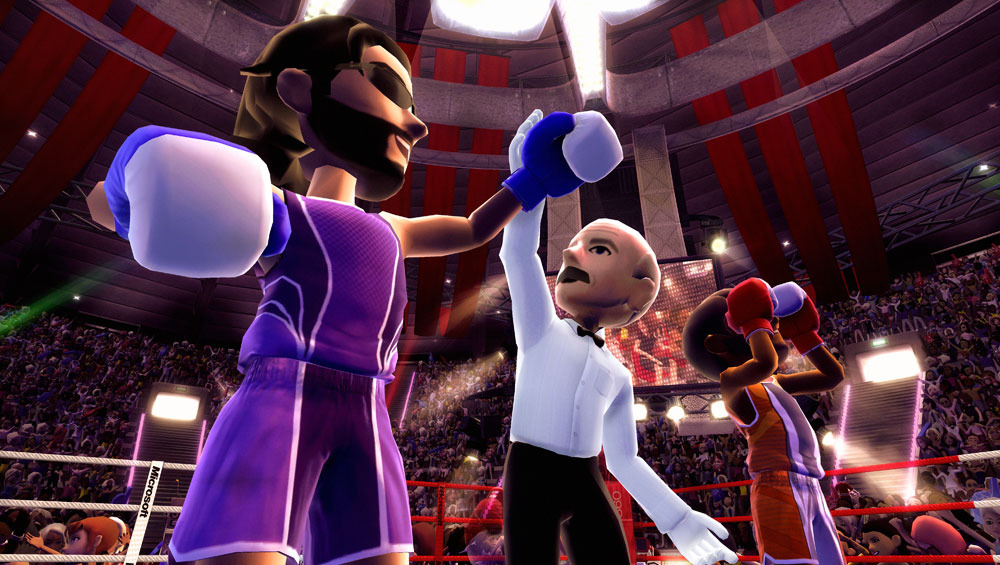
Ah the wonders of being able to actually throw a punch and see your avatar in game throw that same punch. Boxing is playable against a computer player or a second player (fun times to be had) and will place the fighters in three round fight. You fight as much as one would expect, by jabbing punches forward high or low will place these hits towards that part of your opponents body. You can also block incoming hits by raising your arms in front of your face, or ducking and weaving out of the way. However the ducking and weaving is not very effective compared to simply blocking.

Table Tennis:
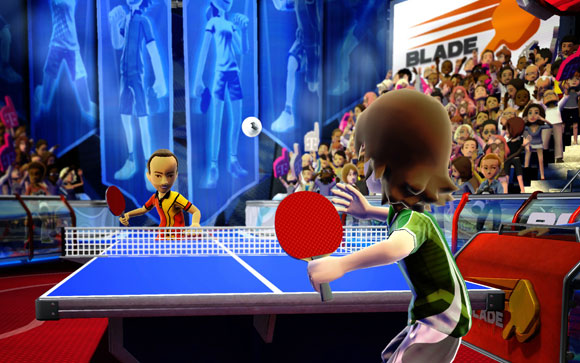
Table Tennis (otherwise known as Ping Pong) has been around for many years and can be found inside of practically any sports fans house, and inside of Kinect Sports it does not disappoint. Serving the ball is similar to the volleyball mode such as tossing the ball into the air and hitting it, and then you can continue to swing at the ball with your own hand to simulate the table tennis paddle. It is quite enjoyable and is perhaps the simplest of all the Kinect Sports as it requires little player involvement or movement.
Track and Field:
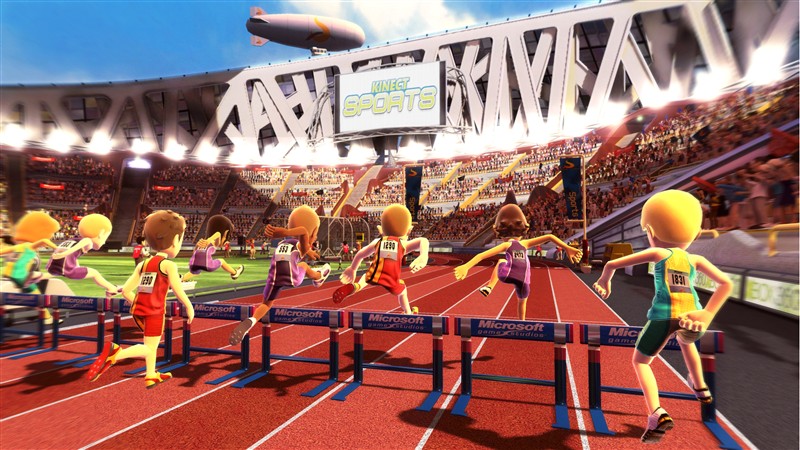
Now this mode is a bit of a trick at first, as it contains a small bundle of minigames in and of itself. There are five different minigames within the Track and Field umbrella which include: Javeline, Long Jump, Hurdles, Sprint, and Discus. Each of these modes can be played together with a group and you can attempt to beat one another’s scores within a sort of mini Olympics if you will. These modes are extremely high in physical movement and will definitely tire you out the fastest. One thing of note is that there is minor lag in the Hurdle Jump which requires the player to jump slightly ahead of where they would originally (shown off by a green jump area).

Soccer:
Big fans of soccer games may find themselves a bit disappointed with certain aspects of Kinect Sports’ Soccer game due to the fact that it has mostly been watered down to a bare minimum. Rather than moving around and dribbling a ball with your own feet, you will be able to pass the ball between your own team mates or go for the shot then and there. The difference between the two movements is either a light kick or a pulled back kick as you smash the ball towards the net. On the defensive side of things however you will find yourself either attempting to get in the way of a pass to intercept it by sliding left and right, or if you are the goalie by jumping and trying to get your hands in the right area to block the goal. This mode is unfortunately not very enjoyable when played alone and can be disappointing when handled as such. On the other hand when played with a partner or somebody on the other team it increases the enjoy ability greatly.

Overall:
Kinect Sports brings with it some of the best motion gaming to date with full body recognition with little to no lag problems. Kinect Sports is definitely a very active game on the other hand so prepare to wear yourself out quickly if you play for extended periods of time. Another note worth mentioning is the fact that playing together with your own friends or family will definitely make for a better time as Kinect Sports doesn’t do anything special as far as single player mode goes. That doesn’t mean that you can not have a good time playing online or with the computer but the best experience is when played at home as a party game.

I give Kinect Sports for the Xbox 360:

8-0-capsules-out-of-10


Bowling:

Bowling inside of Kinect Sports has seen a bit of a revamp as far as the actual bowling is controlled. To choose where you want your bowler to stand you step to the left or the right, and then to throw the ball you treat it as if you were actually bowling. Meaning that you will step forward and swing your arm forward in the same motion and the speed of your arm, as well as where your arm swings on your body will determine the power and spin of the ball. The bowling is extremely accurate and I experienced zero mishaps with the camera sensing my movements during this sport.

Volley Ball:

The volleyball minigame begins with a very lifelike mimicry of the real game. As you serve you must toss the imaginary ball into the air and then use one hand to hit the ball forward. Then as your opponent hits the ball back to you, you must move yourself to wherever the target shows up to hit it back. Also since the volleyball game is always with a partner whether AI or a friend you will occasionally be set up for a spike which involves a jumping motion and an overhead slam of your arm to spike the ball down.  Volley ball is perhaps one of the more body intensive sports and can become tiresome quickly, but at the same time is also one of the most enjoyable thanks to its fast paced action and full body movement.

Boxing:

Ah the wonders of being able to actually throw a punch and see your avatar in game throw that same punch. Boxing is playable against a computer player or a second player (fun times to be had) and will place the fighters in three round fight. You fight as much as one would expect, by jabbing punches forward high or low will place these hits towards that part of your opponents body. You can also block incoming hits by raising your arms in front of your face, or ducking and weaving out of the way. However the ducking and weaving is not very effective compared to simply blocking.

Table Tennis:

Table Tennis (otherwise known as Ping Pong) has been around for many years and can be found inside of practically any sports fans house, and inside of Kinect Sports it does not disappoint.  Serving the ball is similar to the volleyball mode such as tossing the ball into the air and hitting it, and then you can continue to swing at the ball with your own hand to simulate the table tennis paddle.  It is quite enjoyable and is perhaps the simplest of all the Kinect Sports as it requires little player involvement or movement.

Track and Field:

Now this mode is a bit of a trick at first, as it contains a small bundle of minigames in and of itself. There are five different minigames within the Track and Field umbrella which include: Javeline, Long Jump, Hurdles, Sprint, and Discus.  Each of these modes can be played together with a group and you can attempt to beat one another’s scores within a sort of mini Olympics if you will. These modes are extremely high in physical movement and will definitely tire you out the fastest. One thing of note is that there is minor lag in the Hurdle Jump which requires the player to jump slightly ahead of where they would originally (shown off by a green jump area).

Soccer:

Big fans of soccer games may find themselves a bit disappointed with certain aspects of Kinect Sports’ Soccer game due to the fact that it has mostly been watered down to a bare minimum. Rather than moving around and dribbling a ball with your own feet, you will be able to pass the ball between your own team mates or go for the shot then and there. The difference between the two movements is either a light kick or a pulled back kick as you smash the ball towards the net. On the defensive side of things however you will find yourself either attempting to get in the way of a pass to intercept it by sliding left and right, or if you are the goalie by jumping and trying to get your hands in the right area to block the goal. This mode is unfortunately not very enjoyable when played alone and can be disappointing when handled as such. On the other hand when played with a partner or somebody on the other team it increases the enjoy ability greatly.

Overall:

Kinect Sports brings with it some of the best motion gaming to date with full body recognition with little to no lag problems. Kinect Sports is definitely a very active game on the other hand so prepare to wear yourself out quickly if you play for extended periods of time. Another note worth mentioning is the fact that playing multiplayer with your own friends will definitely make for a better time as Kinect Sports doesn’t do anything special as far as single player mode goes.

I give Kinect Sports for the Xbox 360:
8

ILLUSIA – iPhone Review

illusia-cover

Game Name: ILLUSIA
Platform(s): iPhone/iPod Touch/iPad (iOS 3.0 or later)
Publisher(s): GAMEVIL USA, Inc.
Developer(s): GAMEVIL USA, Inc.
Genre(s): Action, Casual, RPG
Release Date: 9th December, 2010
Price: $4.99 – BUY NOW!!

Overview

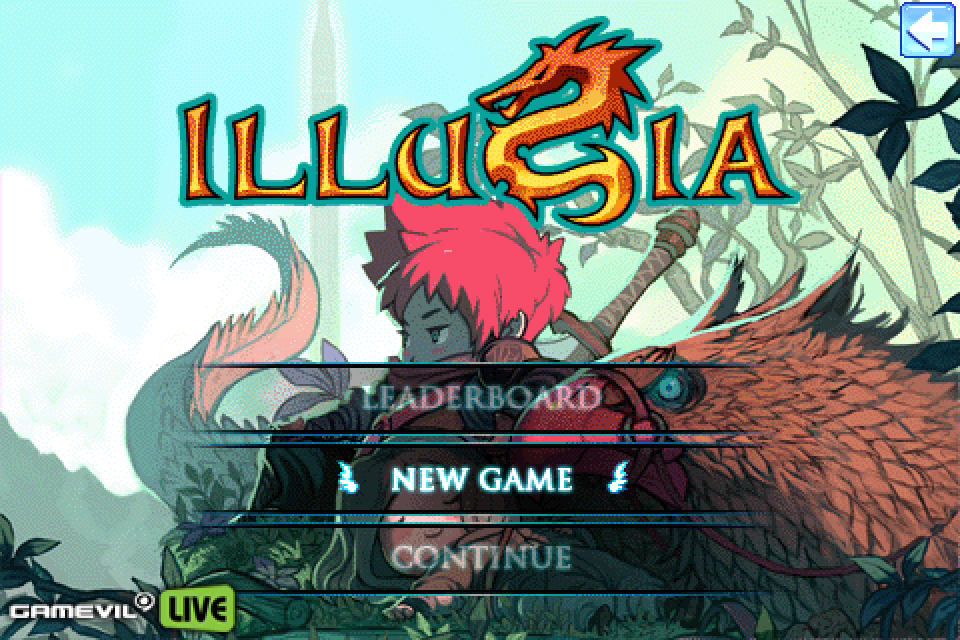
Among the masses of 3D RPG available on the App Store, the maker of Zenonia brought a new fresh air to the RPG scene by introducing their first 2D side-scrolling casual platformer RPG for the Apple handheld devices. ILLUSIA is the name, and it comes with the anime-inspired characters that we always see in Gamevil’s games.  If you still remember Maple Story for PC few years ago, I’m sure this game will looks very familiar to you (visually, at least).

Storyline

illusia-screenshots-02

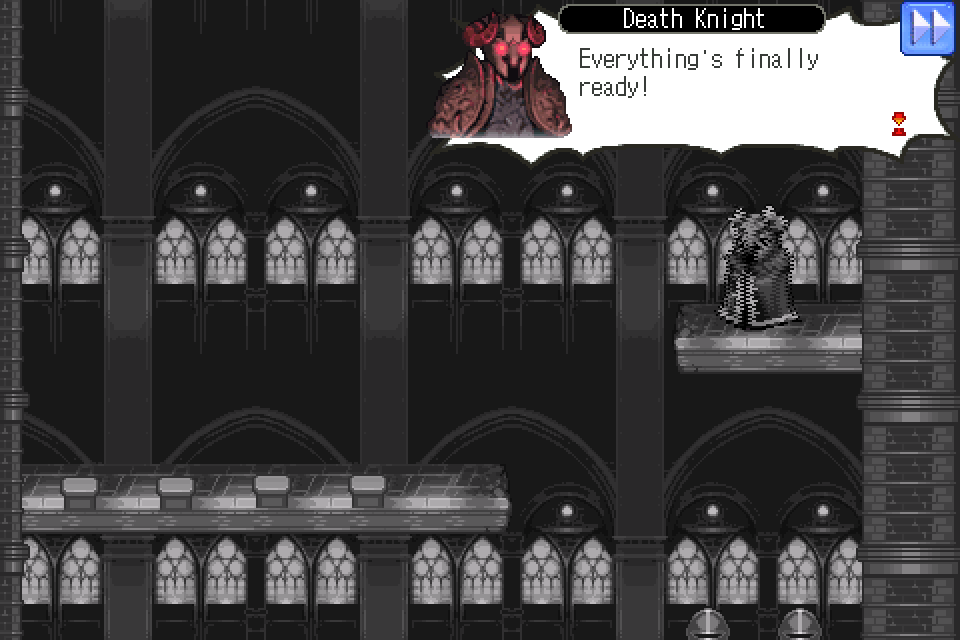
The storyline in ILLUSIA follows a pretty standard heroic path. It all begins as the peacefulness in the land of Aztaran is struck with a massive lightning bolt, followed by the appearance of a mysterious tower that no one could enter. This unknown tower remains a secret until two adventurers, a warrior and an archmage appears. Peoples in the village claimed that they have visited the tower. The story of the two adventurers soon become the tale which is so well-known among the children, that they dreamt of becoming such heroic figure one day. Years later, the secret of the tower is about to be revealed and horror is about to be unfold in Aztaran. This is where your adventure begins as you travel from town to town to uncover the mystery.

Gameplay

illusia-screenshots-05

At the beginning of the game, the first thing you need to do is to decide upon which job class you would like to play for the rest of your journey in the world of ILLUSIA. If you like close-range combat, then Fighter would be your best choice. Otherwise, you can choose to be Magician, whom has long-ranged powerful magic skills at her disposal. Apart from the name and the gender of your character, choosing neither would not affect the storyline ahead.

As you level up, you would gain stat points and skill points to develop your character. I like the fact that the results of the stat changes are shown before you confirm the changes. When you become higher level, you would be able to change into other more advanced job classes; each comes with its own set of skills and buffs. With up to 14 job classes and literally hundreds of combinations available, you would not be bored to replay ILLUSIA over and over again.

Among other things, I especially love the quest system in ILLUSIA. Instead of randomly killing monsters, the main quest closely follows the storyline. You would be asked to search for a specific item in the fields or kills certain monsters for quests items in order for the story to proceed. With the storyline in mind, most of the quest requirements will makes sense, providing you the motivation to complete the quests.

illusia-screenshots-19

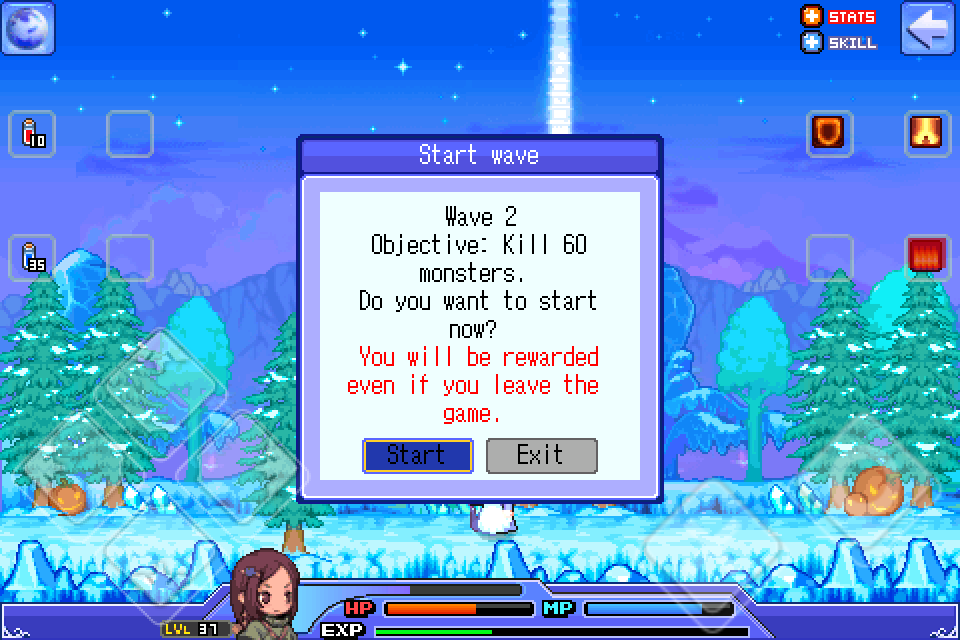
In addition to the normal gameplay, Gamevil brings the new Rush Mode and Mission Mode into ILLUSIA, which is accessible through the Special Officer in every town. These modes are a lot of fun and offer players something different to do apart from the normal questing and boss-beating. In Rush Mode, you would need to kill a set amount of monsters. The more waves you  completes, the better reward you will get. As for Mission Mode, there will be an assorted number of missions which will be updated from time to time. At the moment, there are two-way portal contest, survive for 2 minutes contest and achieve 50 combos contest. Of course, you will need to pay a small fee to enter these missions, but there will be rewards upon completion.

There are also online aspects of the game. You can store things online, send or receive mails from other players, manage your items in an auction house, or purchase premium items in the network shop. All of these things can be done through the phone booth placed in every town in the game.

Controls

illusia-screenshots-04

The control scheme here is nothing too different from Gamevil’s past releases. It comes with an on-screen D-pad, along with two touch buttons, the jump button and the action button. Movement with the D-pad is smooth as usual, but the jumping can get irritating at times, especially when you have to land on the very-small platform. It takes a while to get used to, nothing too biggy.

Most of the basic control mechanics are introduced in the tutorial, except for some, like dashing by double tapping a direction on the D-pad, and double jumping by tapping the jump button twice. It would be nice to include them in the tutorial, even though those are pretty common controls for gaming on the iOS devices. Everything else looks good though, except for the extremely tiny hotkey buttons on the upper side of the screen. There might be complaints from peoples with huge thumbs.

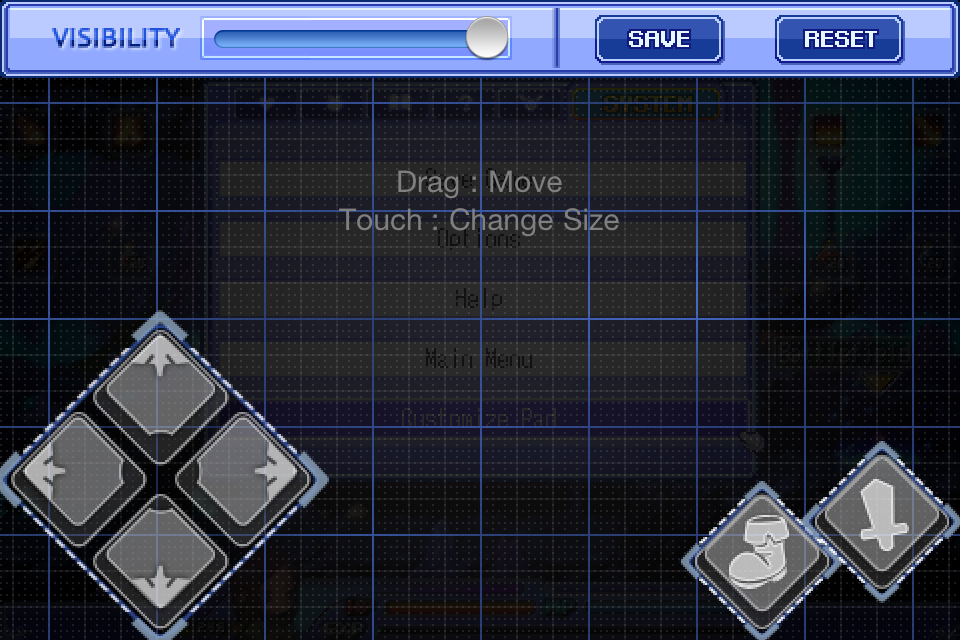
Like in Baseball Superstars 2011, the control interface here is customizable as well. You can make them bigger, smaller, more/less transparent, or move them around to wherever you would like them to be on the screen. Take some time to adjust the controls to better suit your needs.

Graphics/Audio

illusia-screenshots-12

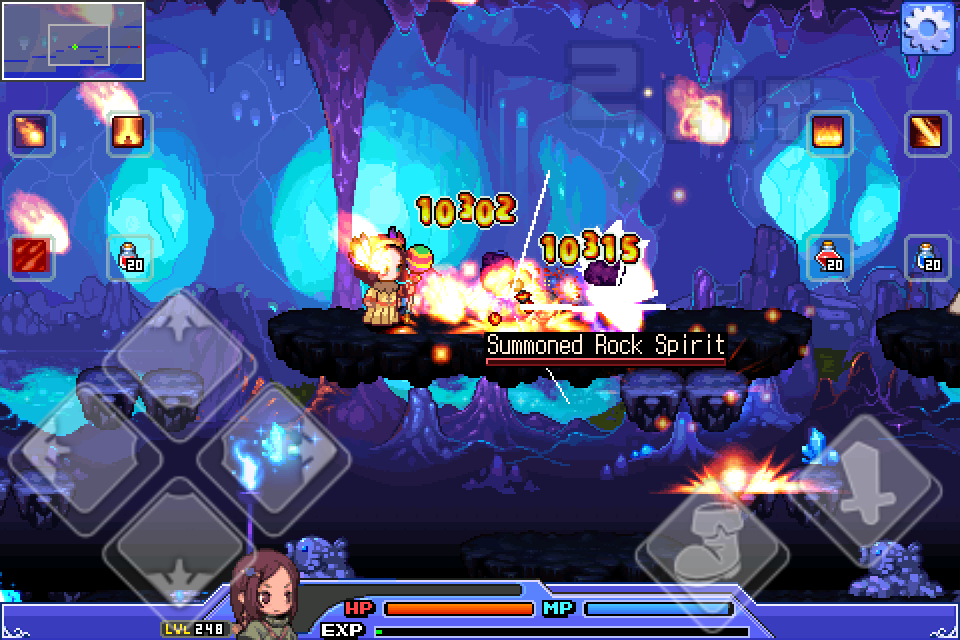
Graphics-wise, ILLUSIA is set in the beautiful game world where you will be constantly placed in some very pretty environment, from the snowy fields, to the heated Volcano area. You will be exploring the land of Aztaran from town to town, in seven distinctive colorful backdrops. Apart from the beautiful scenery, there are literally hundreds of costumes that change the appearance of your character, from a bunny suit to a maid uniform with broomsticks. Besides,  every detail in the game is beautifully presented, like the animation effect of the magic skills. Visually speaking, ILLUSIA scored a perfect ten.

On the other hand, the audio aspect of this game certainly needs more work as it seems to be the only element that keeps the game from being the perfect game. The background music awkwardly stops playing in various occasions (eg. when you are in a conversation with the peoples in the game.) With that said, it does have a good mix of soundtrack that helps set the mood in the game.

Conclusion

All in all, this is one great game that combines the best things of an RPG and an action platformer. Not to forget that ILLUSIA is very well-packed with content too. There is just so much to do as you level your way up to the maximum of level 250. Get this while it’s still fresh, you have my word that this will be one of the best 2D side-scrolling RPG you will find on the App Store.

I give ILLUSIAâ€Ĥ

8-5-capsules-out-of-10

uDraw Tablet hits Australia & New Zealand Early Next Year…

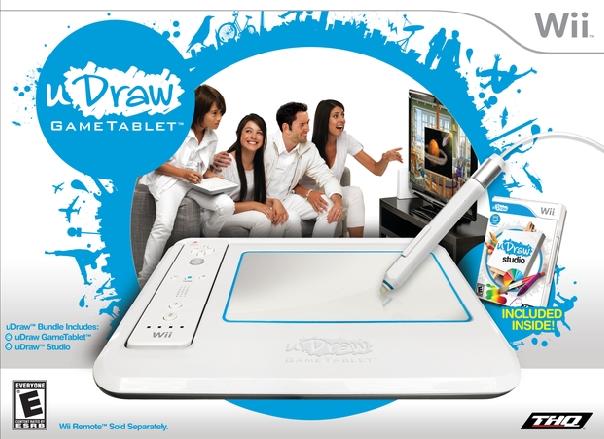
If you haven’t noticed by a lot of the buzz in the media, THQ’s uDraw tablet has been selling well since it’s November 14th release in the states, and now the Wii peripheral is set to touch down on AU & New Zealand shores sometime between February & March.

If you have not heard of the uDraw as of yet, you should check out our artilce here to inform yourself a bit. The uDraw was also featured on the Ellen DeGeneres Show as one of the most coveted items on her ‘12 Days of Christmas’ segment (you can check out that clip here) , so while it may not be the Kinect, it certainly is a great new and innovative way to use the Wii so it’s no surprise of how well the uDraw is being received.

I have yet to get my hands on the uDraw, but being able to draw and save all of the pictures to an SD card for printing as well as the two available titles which use the unit (Dood’s Big Adventure & Pictionary) all seem to be like a fantastic idea with a lot of potential for the system. For more information about official release dates and to get a better look on how the uDraw works, check out www.worldofudraw.com. When I finally get a chance to pick one of these up myself, rest assured I will be doing an extensive review, so you can also keep a lookout for that in the future.

New Kirby Patches & Mario-Themed Wrist Straps Come to Club Nintendo…

If you have been stockpiling those Club Nintendo points, waiting for the perfect item to redeem in the Nintendo shop, now is your chance to grab some great swag that just recently became available thanks to Nintendo.

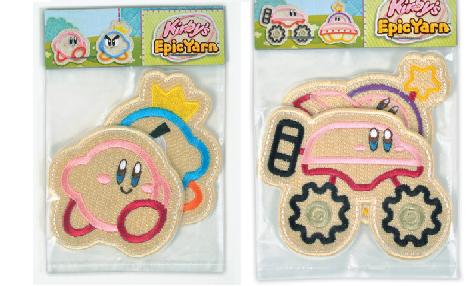
The first item to talk about are the two patch sets from Kirby’s Epic Yarn. These are to me the most appealing item I have seen to date in the Club Nintendo shop and if you are a Kirby fan, these sets are a must have. Prince Fluff and Kirby come in one set while two vehicular forms of Kirby dominate the second, both are priced at 350 Nintendo points each.

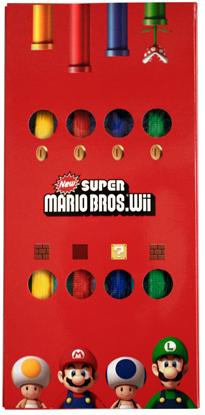
Next up is a set of four multi-colored wrist-straps in celebration of New Super Mario Bros. Wii which should be perfect for anyone wanting to add some flare to that boring WiiMote for 450 points.

It is great to see Nintendo throwing in some worth-while items in the Club Nintendo shop without a doubt, and just a heads up to those still pondering, these items typically go fast so get them now while you still can.

Final Japanese trailer shown for The 3rd Birthday

So this is the last trailer that we will be seeing in Japanese according to Square Enix. This is because The 3rd Birthday will be making its way onto store shelves and the PSN in Japan next week. Though this isn’t bad news because this latest trailer is perhaps one of the best that The 3rd Birthday has seen yet as it shows off the wedding scene with Aya in a bloody wedding dress, including a handful of action gameplay scenes and event modes.

Also in a scene reminiscent of Kill Bill we see why Aya is covered in blood in her wedding dress. But don’t take my word for it take a look below. There hasn’t yet been an announced release date for the West other than in Spring of next year. At least we may start seeing English trailers for 3rd Birthday after it hits shelves in Japan.

Exchange your Cube Points for Donations towards the Humble Indie Bundle 2

5

We here at Capsule Computers love video games, but we also love the opportunity to give donations to a good cause while receiving video games in exchange.

Travis wrote about the humble indie bundle right here, and I assume you all know what it is by now. If not, I suggest to read up on it real quick.

With this promotion and a few comments from you guys on our original post about it, we came up with a pretty good idea:
“How about we let you exchange your cube points* for an equivalent amount of cash donated to the promotion.”

If for some reason your funds are depleted, don’t have a paypal account, or aren’t old enough to have either of the previous this a perfect way to donate to a good cause and even receive the humble indie bundle 2 at the same time.

With the handy gift feature on this bundle, we are able to take some cube points from you and then donate an equivalent amount of cash from our funds to the promotion. The gift link** we receive will come straight back to you for you to redeem and enjoy. All with the knowledge that you helped a good cause.

If you are interested in exchanging some of your cube points for this good cause, send an email to [email protected] with the subject “Humble Indie Bundle“. In the body of the email, make sure to include the amount of points you want to donate towards this good cause, a minimum of 200 please (we don’t want to be flooded with people just making an account and getting the 100 free points to put towards this, they will have to comment a bit to get some more points); however, there is no max and the more you offer up the more we will donate to the promotion while you get your gift link. You will receive an email within 3 days with the link to where you can redeem the Humble Indie Bundle.

Since the Humble Indie Bundle Promotion only lasts for another 5 days, we will only continue to accept your cube points for about 3 to 4 days to make sure we can get all the requests in.

On top of this, if you have no points to offer you can leave a comment explaining why you believe these promotions for good causes are awesome. At the end of the 4 days we will randomly select one comment and donate a sum of money to the promotion in exchange for a humble indie bundle for that commenter. If you exchanged cube points for the bundle already, feel free to comment as well anyway. The more comments we get, the more the final donation will be and if you get picked again you have another bundle to give to a friend.

We are no longer accepting exchanges. We thank those who took part in this promotion and I’m sure the charities thank you for exchanging your cube points towards this good cause as well.

*If you don’t know what cube points are, click this link.

**The gift link is actually a specially designated URL that you go to and type your email address into. You will then receive a link in your email to the location of where you can download the specific Humble Indie Bundle. It is just how they have the gift setting set up.

Test Drive Unlimited 2 – Multiplayer and Audi Trailers

Two trailers are incoming, both about cars and both about racing.

Test Drive Unlimited 2 isn’t just a single-player experience and in fact has a bunch of multiplayer gameplayer integrated right into the open ended world. There is a bunch to do, and the first trailer lays all the details right in front of you.

The second trailer is a look  at some of the Audis coming to the game.

Test Drive Unlimited 2 is scheduled for February 2011.

[pro-player width=’530′ height=’253′ type=’video’]http://www.youtube.com/watch?v=zFuVGUsPXKo&feature=player_embedded[/pro-player]

[pro-player width=’530′ height=’253′ type=’video’]http://www.youtube.com/watch?v=bECOgflx_0U&feature=player_embedded[/pro-player]

Rock of Ages – Power Ups Trailer

Rock of Ages is a combination of puzzle game mixed in with tower defense. You take control of a giant rock as you roll over the enemy’s fields, battlements, or soldiers. It seems like an interesting concept and if you are still confused about what exactly you do, just watch the video.

This particular video is all about the power ups, and shows a multitude of them.

Check out the trailer to see all of the power ups and how they are used. Rock of Ages is set to release on XBLA in spring 2011.

[pro-player width=’530′ height=’253′ type=’video’]http://www.youtube.com/watch?v=SR6QvpCVbDk&feature=player_embedded[/pro-player]

Tales of Xillia for PS3 announced by Namco Bandai

Looks like all the different speculation about the next Tales game can stop now because Namco Bandai officially announced today that the newest installment in the Tales franchise will be called Tales of Xillia, and it will be available only on the PS3 (at the moment) sometime next year. This is pretty large news considering this is the first time that a Tales game has ever been released first on the PS3, but considering the track record with previous Tales games, it wouldn’t be too much of a stretch to hear of an eventual mutliplatform release.

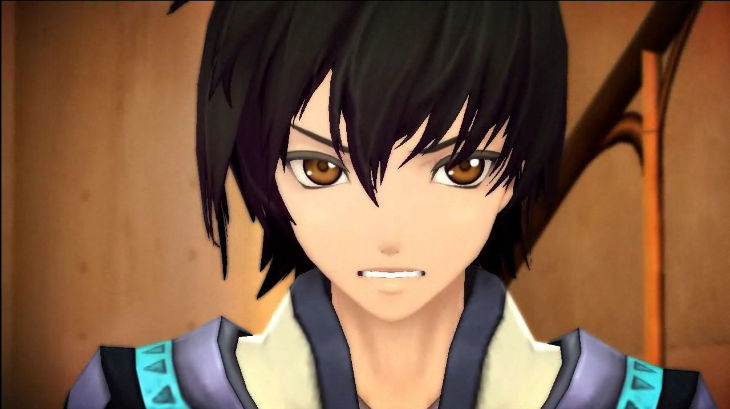
A few bits of information were also revealed; such as the fact that Tales of Xillia will feature two main characters and each one has been designed by a different artist from previous games. The character you see above is named Mira Maxwell and is designed by Mutsumi Inomata who has worked on Tales of Destiny and Tales of Graces. The character you see below is named Jute Mathis and is designed by Kosuke Fujishima who has worked on Tales of Symphonia and Tales of Abyss. You can catch the trailer that was released alongside the announcement below.

Dead Space 2: Aftermath given a trailer and release date

After the release of Dead Space: Downfall it looks like EA isn’t done trying to tie animated movies into their Dead Space storyline. This is because they have released a brand new trailer for Dead Space 2: Aftermath which will be an animated movie tie-in with Dead Space 2. The actual movie itself will be released on January 25th, but first lets take a look at the trailer below.

While there is plenty of blood and gore to be seen as the colonists are murdered, an interesting thing to note is that rather than sticking with a specific animation style they have flip flopped around. While parts of the trailer are completely animated and rival most Anime styled shows, there are other parts that feature CG rendering instead. Though one can note that the CG parts are somewhat disheartening to look at in my opinion. Reminds me a bit of the old childhood computer animated show Reboot!.