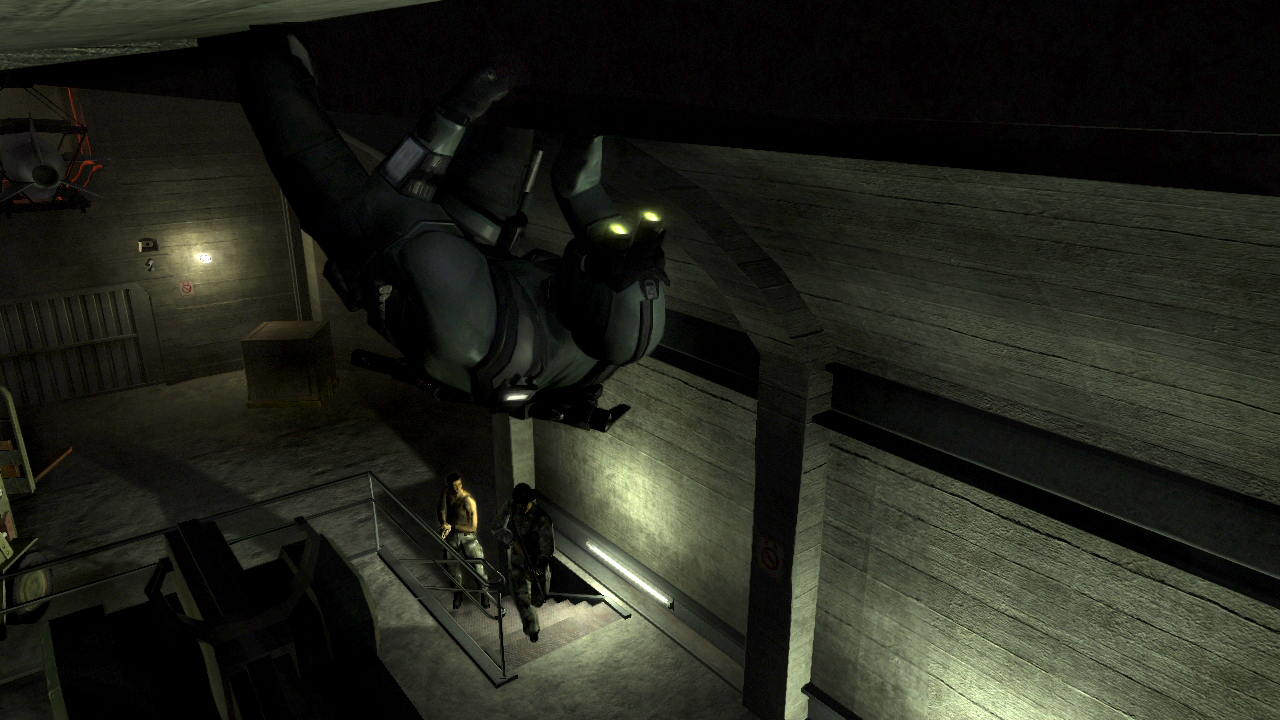
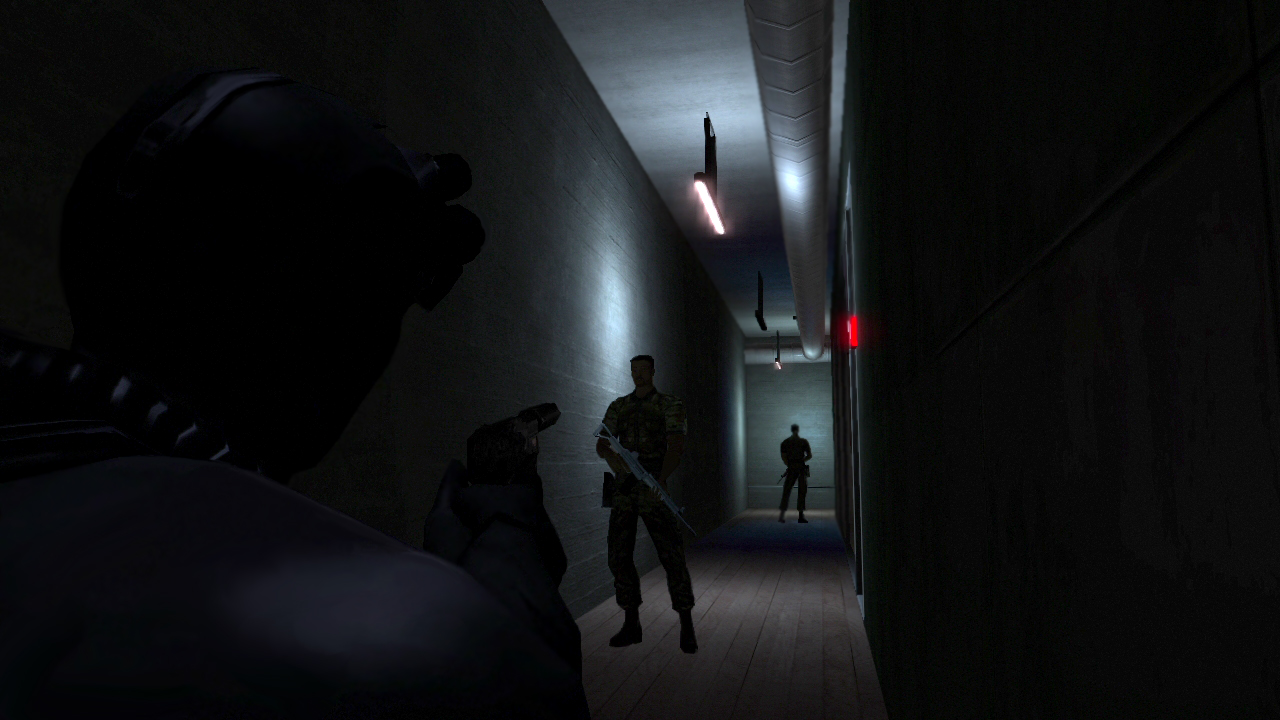
In a bundle at $49.95, Splinter Cell fans will be able to purchase Splinter Cell, Splinter Cell Pandora’s Tomorrow and Splinter Cell Chaos Theory from the Playstation Network. The titles have been remastered into full HD, which should be appeasing for both the most hardcore fan, and those looking to pick up the original titles but either can’t find them, or dislike the lower visual fidelity associated with them. They are also being released with stereoscopic 3D!
Tom Clancy’s Splinter Cell: You are Sam Fisher, the best field operative of a secretive NSA subagency, sent to carry out desperate missions.
Tom Clancy’s Splinter Cell Pandora Tomorrow: Return as Sam Fisher and wage a one-man war against an Indonesian terrorist network.
Tom Clancy’s Splinter Cell Chaos Theory: Imagine what would happen if someone could crash the Asian stock market, blackout New York or take control of ballistic missiles with a simple algorithmic code? You must find this person at any cost or the chain of chaos will become unstoppable.
Be sure to check out the playstation network to pick up on this amazing deal.
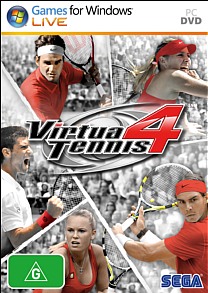
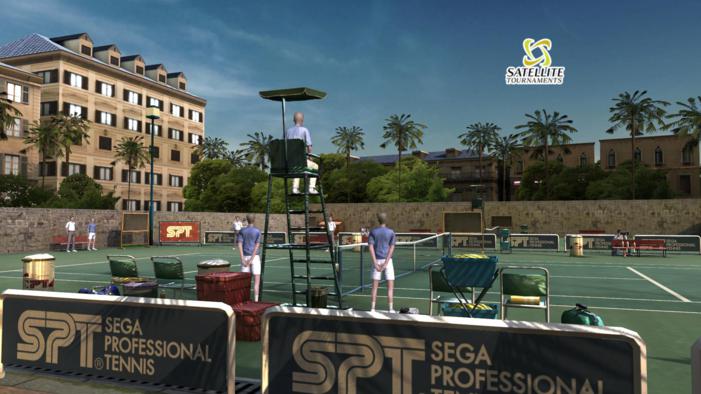
Developer: Sega Distributor: Sega Genre: Sports Platform: PC (Reviewed), Playstation 3, Xbox 360 Price: $39AU (Buy Now\Steam)
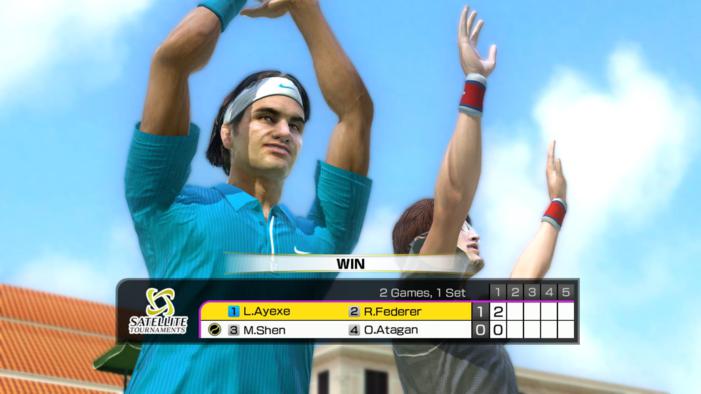
Virtua Tennis 4 does an amazing job of making a sport, that many would argue as boring, into a fun and accessible package. Over the course of the game, players will be able to compete in tournaments, verse living tennis legends and build their own character as they battle through the ranks to become number one.
Gameplay
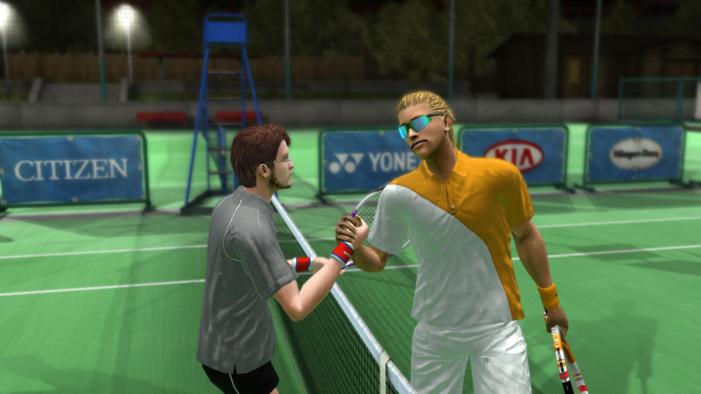
Virtua Tennis 4 plays as you would expect for a Tennis game. You have one team of tennis players on one side of a net, with another team on the otherside. Teams generally consist of one or two members. Player one, in any single player event, will always get the first serve. Each player on the tennis court will try and hit a ball into the opposing teams field in order to win.
Now, this seems like it would be an easy thing to do, but, some of your opponents throughout the game can be a little tricky with their handling of the ball. I found that thinking of a strategy before going into a match is a must if you intend to win on more than luck.
The game has many gameplay modes such as: World Tour, Arcade, Exhibition, Practice, Party, Online and My Club. Each gameplay mode is it’s own thing, but they all revolve around tennis in some way.
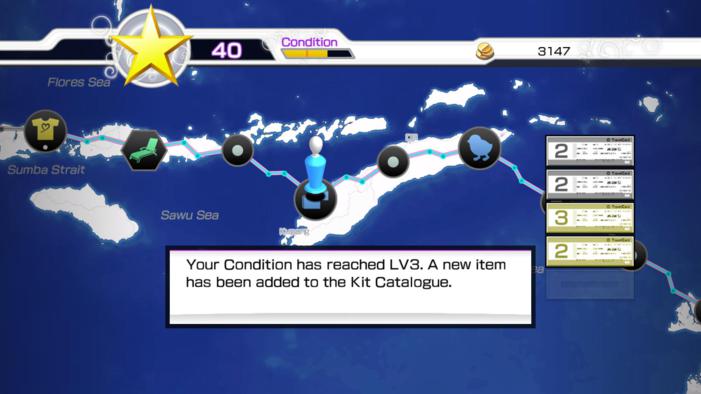
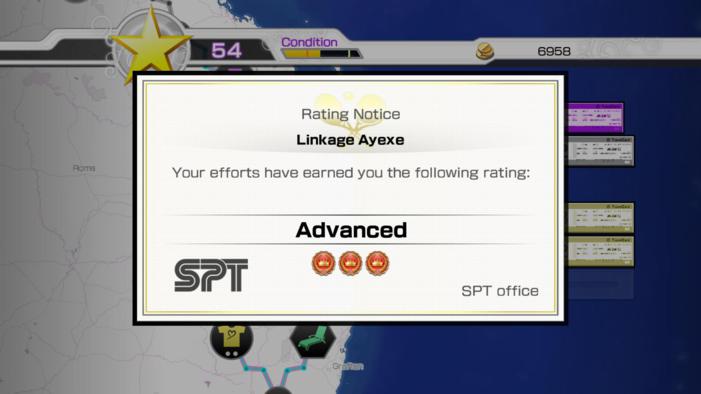
World Tour mode is a kind of Board Game that follows your journey from a newcomer to the tennis sport to your (hopeful) triumph over the tennis world. It is possible to make it to the end of this gametype without actually winning. I quite liked that aspect of the game, as it keeps you on your toes as well as allowing you to feel the defeat that so many actual tennis players feel. In World Tour mode, you must become qualified in order to compete in the larger events. This means that you will need to attend as many smaller events as you possibly can in order to earn stars. If you play particularly bad throughout the game, you will miss a lot of the minor tournaments and have to compete in the major tournaments from the very bottom. The World Tour mode is also a gametype that has you managing your own condition. Condition is basically your ability to play well within a match. As you progress through the board, your condition will worsen so you must train regularly to build your overall condition, as well as get plenty of rest in order to keep your condition at its best. The condition feature is one that I did not like about the game. I found that condition loss was too prevalent in major tournaments and that by the time you were in the finals you would have no condition left and would be basically going into the match on a broken ankle.
Arcade mode is pretty much as it sounds, you play through a series of tournaments in order to win. In Arcade mode, you can choose from a wide array of living tennis legends, or as your own custom tennis star that you have been using in World Tour mode. This gametype can also be completed with other players, which is a nice addition to the gametype.
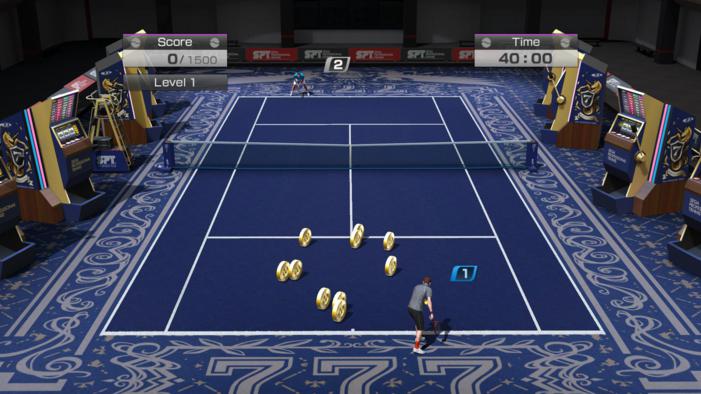
Party mode is a group of minigames designed to be played with multiple players playing the game. The minigames seem to be centered around the training games found in the World Tour mode of the game. I actually rather enjoyed these minigames as a whole and as individual units. One minigame has you running around hatching chicken eggs while avoiding cannonballs, while another will have you playing hot potato with a bomb. The minigames are incredibly fun and offer some quick enjoyment solo, or some competitive fun in a group.
Exhibition matches are fully customisable games of tennis. In this mode you do not have to worry about completing tournaments or doing minigames, it’s just straight-up tennis. Select the gamemode, mess with the options, decide how many players are going to be in the match, select characters and then play some tennis.
In online mode, you verse other players online. What I particularly liked about about online mode is that the game will match you up against a computer controlled opponent until a challenger is found. This means that players will not be left on a waiting screen for an opponent and are also able to practice before a match.
Throughout the game players collect coins that can be used to enhance their characters play-styles and appearance. These are purchased and modified in the My Club area of the menu. There are many modifications to choose from, from apparel to different strikes. I absolutely love character customisation in this game, and it’s pretty in-depth for a game that you would not expect to even have this feature.
Okay, now we can actually talk about the important aspects of the gameplay, like the controls. Unless it is absolutely your last option, do not use the default keyboard control scheme. I recommend playing this game with an Xbox360 controller or a similar high-quality gamepad. The keyboard does not feel right at all, and I actually performed worse with the device than if I was using a controller. Of course, individual players have their own preferred playing style, I myself prefer KB/M controls most of the time, but in this case, the controller felt a lot more natural and easier to pick up on.
That isn’t to say that the controls for this game are perfect using a controller. I frequently found myself hitting the power-strike button only to find my dude was using a normal strike. I have no idea if this is expected behaviour, but, it was a little frustrating.
Other gameplay mechanics that I liked is this one where you get this guage you fill as the tennis match goes on. When you fill it, you’re able to do a kind of special strike, which may assist you in your match and potentially win it for you. Having strikes like these are a great implementation and keep matches interesting, especially if you’ve messed with the match options and you’re playing for a really long time.
Graphics
Virtua Tennis 4 is a visual delight, though, it is quite evident that it was developed with the graphical prowess of consoles in mind. I wouldn’t say that the graphical quality hurts the PC version of the game any, and it does keep the entry level for customers quite low, with players on older hardware able to play this game. Not only that, the game runs very fluidly at 60 frames per second (with the exception of some parts of the game, where it has noticibly been cut in half for what appears to be no technical reason), which keeps the flow of tennis very smooth. Like water.
One thing that I disliked in this game was that some characters in the World Tour mode have 3D images of themselves, while others have 2D cutouts. I’m not a tennis enthusiast, so I don’t know if the rendered characters are original players made for the game, or are actual tennis stars, and having the two different displays adds a certain level of confusion as to whether or not these are representations of actual players or not.
Obviously, Virtua Tennis 4 was developed by SEGA and as such carries that kind of SEGA feel across its interface. It’s kind of hard to describe, but it is very obviously done by SEGA and it certainly feels that way. It’s an incredibly hard thing to describe, you’ll have to see it or experience it for yourself, but you’ll immediately know what I mean.
Audio
Virtua Tennis 4 has an amazing soundtrack that no doubt adds to the overall fun experience presented in this package. The soundtrack is a techno/electronic soundtrack, but it isn’t the heavy stuff that you’d expect to hear at raves. It fits the game quite well and I absolutely loved it.
The sound of a Tennis ball hitting a racket may not seem to be something worth talking about, but I actually found the effect to be pretty well done. I mean, in a tennis game, hearing that one sound over and over again could drive some people mad, but it didn’t bother me at all and I don’t think anyone will really complain about it or really notice it. It’s one of those things that if it wasn’t there, you’d immediately be able to tell that something was off. As with the tennis ball, all the sound effects in this game are amazingly well done and the sound team should be commended for their efforts.
Story
Virtua Tennis 4 doesn’t feature too much of a story outside of the World Tour mode, and even that is pretty lite. You’re a tennis player and you have to work your way up to become the grand champion, that’s about it.
Along the road to becoming champion you’ll meet other tennis legends and some will even join your team as a doubles partner. As doubles partners, some of them are more useful than others, so make sure you choose a partner that compliments your own playing style for maximum efficiency.
Overall
Virtua Tennis 4 is an amazigly fun tennis game. I went into this game expecting it to be as boring as the sport is to spectate, but I was incredibly wrong. I’m absolutely hooked on this title and will probably revisit it later on. Aside from the issues that I have pointed out, the game is an amazing package that needs to be played by, not only tennis enthusiasts, but gamers everywhere. Be sure to pick this title up, if not on PC, then on a console.
During the Second World War, people around the world were left as spectators and those at home needed a lift and a sense of hope. At the height of WW2, Hollywood’s golden age was born. Undoubtedly, some of history’s greatest films were made during this time. Audiences craved escapism and needed some sort of closure from the horror they experienced every day. Films were made to ensure higher morale and glamorize Hollywood. People attended in droves and valued the false hope the films enabled them.
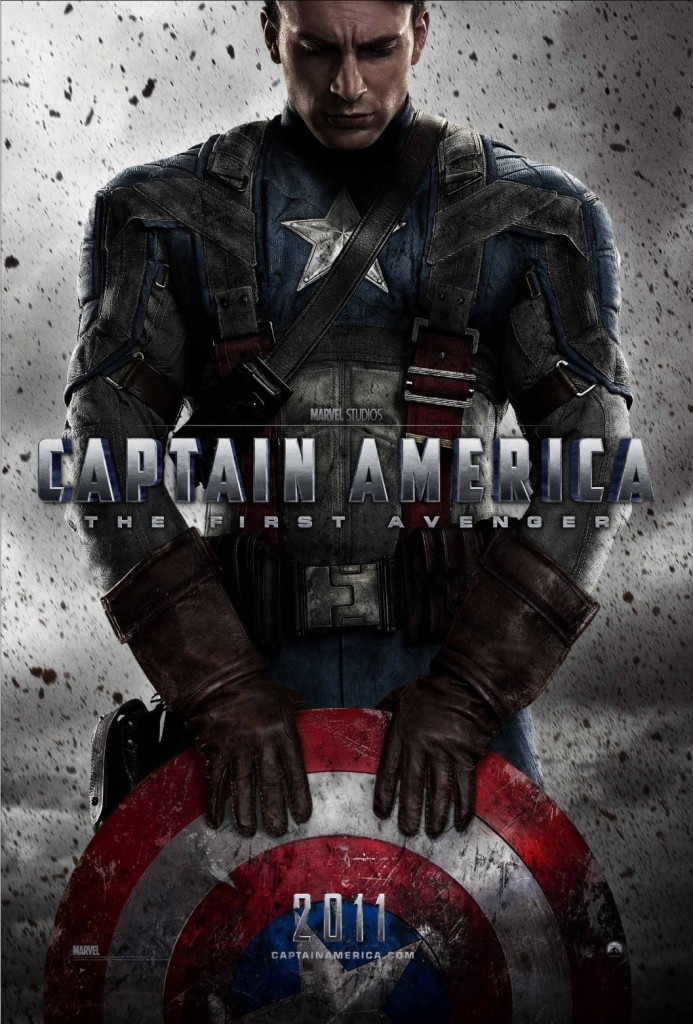
Today, at the height of the economic downturn in the United States, the stress and fear is painfully reminiscent of the citizens of the world sixty years ago. But a hero has emerged. Captain America. Reflective of the Golden era, the Hollywood blockbuster has broken records and provided some level of escapism for the citizens of the drowning country. Critics around the world agree Captain America arrived at a good time to mend the broken hearts of its people. Steve Rodgers oozes patriotism and offers hope and good faith to the audience.
In true American fashion, Captain America defeats the Nazi superpower with ease and with a hint of old Hollywood wartime melodrama. Captain America has almost become a member of national mythology, a symbol of American proto-fascism. He was a tool made in the midst of a global emergency, on and off the silver screen.
Will Steve Rogers, a humble boy from the Bronx, raise a country from its depths to a height it has never seen before?
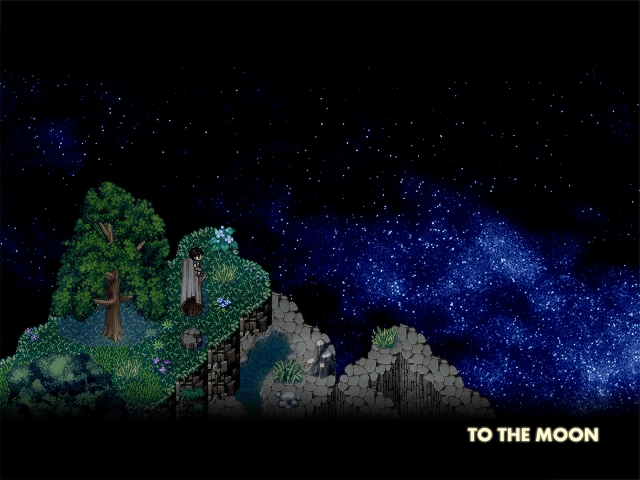
Indie developer Freebird Games, have released a trailer for their upcoming RPG title, To The Moon. Freebird Games have made a name out of creating compelling, inspiring and heart-felt games for the PC (all of which are available for free download). Freebird themselves state that they create games with an emphasis on story and atmosphere. They look to continue the trend with the beautiful To The Moon.
To The Moon tells the tale of two doctors trying to grant a dying man his last wish (to go to the moon), by retracing his life through his memories. The indie RPG will be available for free download this Fall. However an exact date has yet to be confirmed.
You can check out the trailer below and leave your thoughts in the comment section.
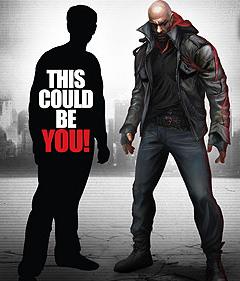
If you are one to pre-order games and have been eyeing Prototype 2, this news should catch your interest. Gamestop and Activision have announced today that anyone who pre-orders Radical Entertainment’s upcoming sequel between now and September 1st will automatically be in the running to be crafted into a character model for Prototype 2.
This “Get in the Game” promotion will also include a trip for two to Radical Entertainment in Vancouver, Canada, where the winner will then prepare for their video game debut.
Radical Entertainment had this to say about the upcoming promotion:
“Thanks to this great partnership with Activision and GameStop, we have an incredible opportunity to offer gamers something truly unique,” said Ken Rosman, Studio Head, Radical Entertainment. “In addition to just seeing themselves in the game, the winners will actually be able to locate their virtual selves and shape-shift Sgt. James Heller into their likeness. Radical wouldn’t be where it is today without our fans, and this is just another way for us to thank them for all their support.”
Nice little incentive to throw down a pre-order, if I do say so myself. Sadly, this contest of sorts is only available to those in the U.S. and Canada at the moment, with links to both entry forms found below.
Although Nintendo’s 3DS handheld may be the first and currently only handheld gaming device to sport glasses free 3D technology, the handheld has one tiny problem with its hardware. What I am talking about of course, is the battery life of the handheld. Even running idle the Nintendo 3DS can quickly run low on battery life in only a matter of hours, let alone when being used to play a game or watch a video.
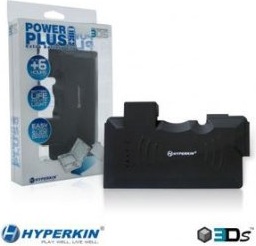
This of course means that either an owner of the 3DS must keep their 3DS constantly charged in its cradle or run out and purchase some sort of peripheral that would help prolong their gaming experience. One such peripheral recently released by Hyperkin is known as the 3DS PowerPlus. The PowerPlus is a bit unique when it comes to extending 3DS battery life, in the fact that it is actually an extension to the system instead of a replacement battery for the one that comes with the 3DS. Now at a price tag of $24.99 how well does the 3DS PowerPlus perform?
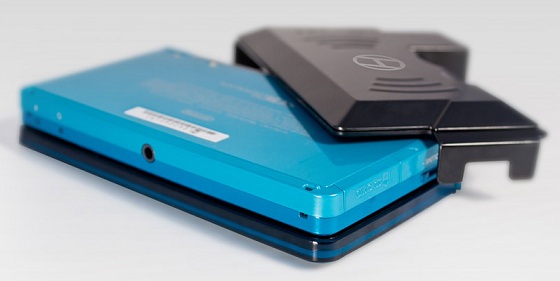
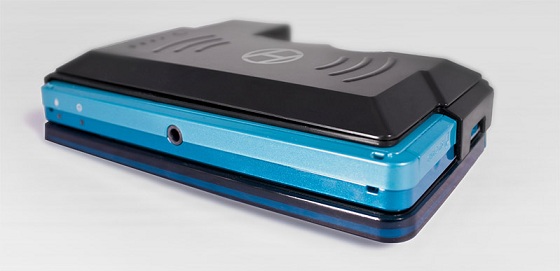
Hyperkin’s 3DS PowerPlus is a slip on charger which is quite convenient as it is easy to slip on and moderately easy to take off of the 3DS. The PowerPlus itself is rather lightweight and has certain openings on the sides which allow the user to still use all the sliders that they need, though the opening for the volume slider is practically no bigger than the slider itself which makes it a bit of an annoyance.
Although it may also have a rubber-like coating which makes it easier to hold onto, there is a problem with the design of it. When you attach it to your 3DS the area where you charge the PowerPlus is placed right next to the R shoulder button and this can get in the way for those who hold their 3DS with their fingers wrapping around the sides. The charge area extends about a half an inch past the 3DS itself which also makes it a bit larger for your cases and can make use a bit uncomfortable if you have to change the standard way you hold your handheld.
Now the main feature of the 3DS PowerPlus is of course the fact that it extends the battery life on the 3DS. It does this by allowing the 3DS owner to slide it on to the back of the 3DS itself and, if their 3DS battery begins to fall into dangerous levels they can turn on the PowerPlus with a tiny switch on the charge area of the PowerPlus. This then uses the charge on the 3DS PowerPlus itself and not only powers the 3DS off of itself but charges up the battery.
Now before I go into how well the 3DS PowerPlus performed with this task, I must mention how it can be charged on its own. With the purchase of the 3DS PowerPlus, buyers will receive a USB charger that must be used either on a computer or laptop or with a converter of some sort to plug into a car or a wall charger. While this may make the charger a bit more versatile, it also presents limitations. The lack of a wall charger with purchase is a major detriment to the 3DS Powerplus and having to buy another converter simply to charge it in more than one way is an unneeded hassle.
A neat feature about this peripheral however, is the fact that it can be removed and charged entirely separately from the 3DS itself. This means you can fully charge your 3DS handheld and also fully charge the peripheral which then can be used as needed.
When it is being charged off of a desktop computer the 3DS Powerplus takes roughly four hours to reach relatively full charge. The charge of the PowerPlus is shown by four blue LED lights on the back side which are always on when you are charging the peripheral and can be shown during normal use with the touch of a button nearby the lights.
Now onto the important part, how well does this battery life extender actually extend the battery? With a completely dead 3DS system and a full charge on the peripheral, the end result was a 3/4s charged 3DS. This charge and drain rate only took an hour of use, which means that the most optimal time to activate an attached PowerPlus is either at half battery or when the red warning light turns on. The extension will provide at least another four hours, give or take depending on your handheld settings and what you are doing, to play time if you are on a long trip or are without an area to charge your 3DS console.
Now despite this fact, I must place a small warning here. When it is in use for even a short amount of time, the charger area on Hyperkin’s 3DS PowerPlus becomes quite hot to the touch, though not unbearably so. When used for an extended period of time the rubber around it was very hot and I grew uncomfortable with leaving it on my 3DS due to the heat being produced by the charger. This means that you should not leave this peripheral on if you are going to put your 3DS in a case and carry it around or even in your pocket as the cloth. Now while the heat may not actually damage anything, it is something to watch out for for potential buyers.
Now in the end, I was able to play The Legend of Zelda: Ocarina of Time 3D on my 3DS with the 3D slider on completely and sound on maximum with a full charge on both the system itself and the battery life extender and it pulled at roughly five and a half hours. This was with everything running nearly non-stop minus the occasional break for human necessities, which shows that the 3DS PowerPlus does indeed extend the lifetime of the average 3DS battery.
But with an added bulkiness to the handheld, an inconvenient charging method and a bit of a higher price tag than other 3DS battery extensions or replacements on the market, the 3DS PowerPlus does nothing too exceptional besides being extremely easy to place on and off of your 3DS without actually removing anything from the handheld itself or installation.
Over the past few years, Capcom’s Monster Hunter franchise became a phenomenon all over the world for it’s easily accessible “grind and battle” gameplay which lets players tackle huge beasts while exploring a stunning setting. With all of the success across many different platforms, Capcom decided to take the series to the iPhone in a much lighter format with Monster Hunter Dynamic Hunting. While this title is rather ambitious considering the platform, it still falls a bit short compared to it’s console brethren. What was included in this on-the-go entry? Here is my review for Monster Hunter Dynamic Hunting for the iPhone.
Gameplay
If you have ever played any Monster Hunter game before, you should be instantly familiar with the formula used in Monster Hunter Dynamic Hunting, except a few things are missing from the overall experience. Instead of exploring to find a monster, this title consists of “quests” that all present one monster to defeat at a time. I did feel a bit disappointed by the lack of exploration at first, but in just a short time the true strategy and depth that made the series famous started to show it’s head, and the game started to shine rather quickly.
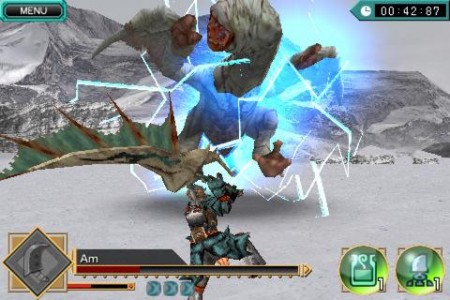
The controls in Dynamic hunting are simple to use, but it requires a bit of practice to master the many techniques that are offered throughout the game. Much like Infinity Blade, this title uses the “tap to hit” mechanic, where you simply drag your thumb along the screen to move your character and tap at a target to unleash a quick hit when in range. A set number of slash attacks are also given to the player at the start of each match-up that require you to slide your finger across the target to execute a slightly more damaging hit. Applying two fingers on the screen at once throws up your guard and dragging those digits will have you executing a dodge roll. These controls work well enough for the most part, but at times I had a bit of trouble with the responsiveness of the touch-screen, resulting in a few extra swipes to properly land a slash. It can be a bit frustrating, but thankfully these problems don’t show up too often and this scheme complimented the combat style well enough to keep the battles fun and exciting.
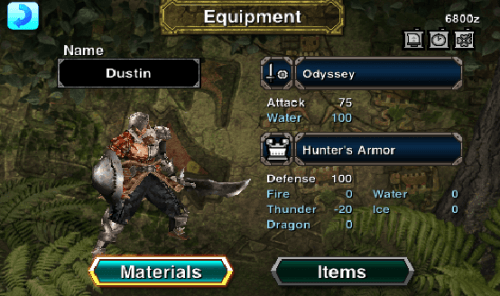
It wouldn’t be a Monster Hunter title without the varied amount of equipment and upgrades and Dynamic Hunting is no different in this area. Once a foe is defeated, players are rewarded with a bit of currency and some new materials that can be used to create new weapons and armor. There are three different weapon types in the game (Sword, Sword and Shield, and Dual Sword), each possessing a distinct feel compared to the next and added in ailments that can play into the weaknesses of certain foes. The true strategy of the game is found in upgrading, as if a monster is too tough, the player must grind through some re-battles and collect the proper materials to enhance their arsenal. There are over 40 weapon types in all, so players should have no trouble finding their own personal weapon of choice to do battle with.
The biggest flaw in the game can be found in how long the overall experience takes to complete. Boasting only 12 monsters, it only took myself around an hour to finish all 12 quests with only two weapon upgrades. To make matters worse, a few monsters are just reused models that only differed by techniques and color, so there wasn’t a whole lot of variety within. That is the main problem with Monster Hunter Dynamic Hunting though, as the short length and shortcuts made in development don’t let you fully utilize all the different strategies and upgrades found within. Now there is a harder mode to be unlocked and a bit of incentive to go back and perfect a score, but those extras just are not enough to make this title feel like a complete game overall.
Graphics/Audio
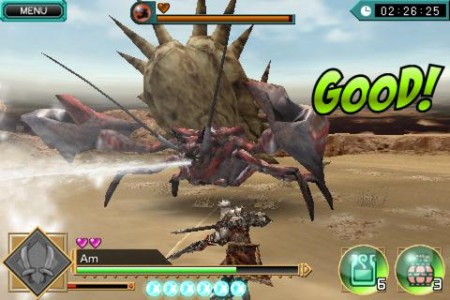
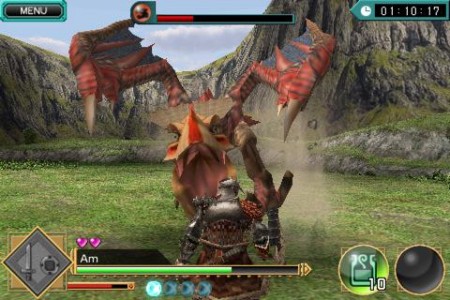
Monster Hunter Dynamic Hunting doesn’t really push the bar in the form of visuals, but I can say that the designs used for the monsters certainly made the battles both exciting and memorable. Each beast looks intimidating as the models used are well detailed and feature some top-notch animation to capture their grimacing nature. Backdrops are also well crafted, as the varied settings compliment the art style used for the character models well and give a spacious feel to each stage. It is a shame you can’t actually explore these vivid environments, but they do provide a bit of eye candy to stare at while in battle.
The soundtrack for the game is a bit generic and just plays lightly into the background to give a bit of a theme to each area. While it is fitting, the music really isn’t important in this game though as the player is to focus on the monsters they are doing battle with first and foremost. Luckily, each foe was given screeching and roaring sound effects that help portray that intimidation found in their designs.
Overall
Monster Hunter Dynamic Hunting utilizes a lot of the same features that made the Monster Hunter franchise a staple in gaming, but with a more dumbed-down result. The controls work well most of the time and the combat is actually enjoyable, but the lack of monsters to actually do battle with hurt the final product. The content is there, the depth is there, and the high presentation value is also included but rewashed models and lack of true exploration just make this game feel incomplete on it’s own and a tad forgettable overall. Monster Hunter fans however should have no regrets paying the $4.99 entry fee to get that combat they love on the go, but others out there are better off just picking up one of the many other formats from the series to get a more fulfilling experience.
The last Metro: Last Light video left us with a cliffhanger. The final part of the 3 part video, which was recorded at E3 while the game was being demoed, leaves us with yet another cliffhanger, but this demo trailer has gun action galore throughout nearly the entire video.
Plus… well, I wouldn’t want to spoil it for you. Go ahead and give it a watch. A final, all encompassing video will be released on August 23, 2011, so make sure to visit us then to see it. What’s your take on the demo? Excited? Scared? Longing to shoot some baddies in a virtual world?
Name: Need for Speed: Shift 2 Unleashed
Developer: Electronic Arts
Publisher: Electronic Arts
Genre: Racing
Platform: iPhone/iPad
Release: 4 August 2011
Price: $5.49 AU – $4.99 – US
Overview
Racing games do not have the best history on iOS due to inferior graphics, controls and gameplay. Personally, I have always found the controls an effort to get a good hold of – each application tends to have its own little quirks. In this department Shift 2 Unleashed was a pleasant surprise.
Gameplay
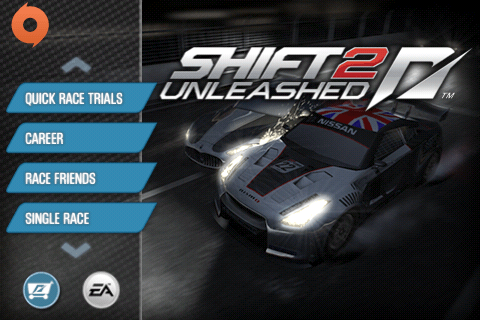
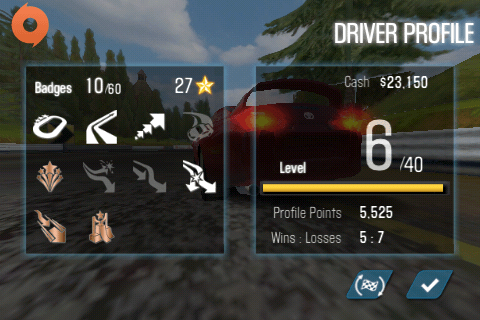
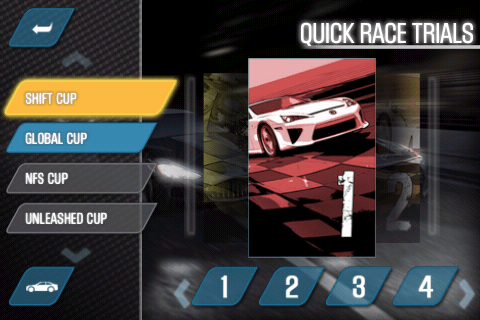
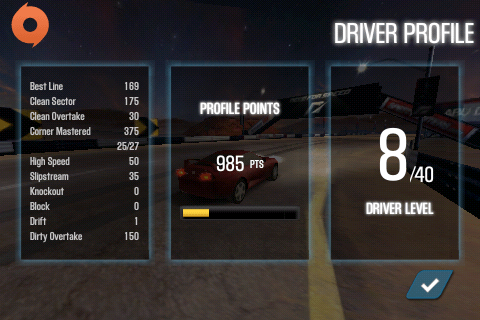
Shift 2 Unleashed has a few different modes, quick race trial, single race, multiplayer, Origin mobile and career mode. The fact that it has a variation of modes makes the game feel complete and like the effort has really gone into making it feel like a full release as opposed to a blurb for the console games.
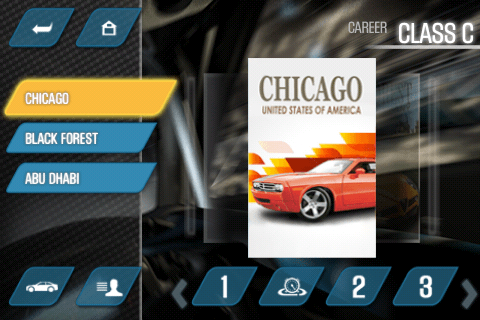
Career mode is made up of five classes, you start on the lowest and work your way up, upgrading your car and moving onto tougher races. AS you move up in classes you also have access to more races.
Quick race trials were basically career mode on a diet, a one-lap run through with all the tracks organised into an assortment different from career mode. It’s designed to get you familiar with the courses and perhaps if you just want to pass a quick minute or so. Personally, I didn’t see much point to this as the career mode tracks wouldn’t take much longer than a few minutes anyway, although quick race trials were sometimes a good way to earn a quick buck to buy that little extra feature to deck your car out with.
The default Shift 2 Unleashed controls are utterly minimalistic, you automatically accelerate and the only time you touch the screen is in the rare occasion that you have to brake. You steer by turning the phone, which actually works a lot better than I thought it would. It doesn’t work fantastically around the tighter corners but most of the time the tracks requires turns that are simple to make cleanly. The game is aware of its limitations and usually doesn’t push them.
The default transmission setting is automatic but after playing a few rounds and seeing my driver’s little gloved hands shift gears with no input from me I thought ‘Hey, I can drive manual in real life, I can totally do it in a tiny representation of it on my iPhone’. Famous last thoughts. I spent half the race stuck in first gear trying desperately to figure out how to shift up (which some would think would be a big part of a game called Shift 2 Unleashed) until I gave up and tried to hunt down the controls information that I was never actually given. I finally found the information hidden away in the Help menu underneath a long block of miscellaneous information and was good to go. It definitely added to the challenge of driving, especially since the accelerator and gear-changing button were on the same side and managing a good start, changing gears effectively, and steering by moving the whole phone, took a couple of tries but definitely made the game more engaging. I think that anyone who wants to actually challenge themselves and feel like they’re doing more than just driving like a kid with a drawn on paper plate should definitely turn off the auto accelerate and automatic gear changes.
Shift 2 Unleashed lays out a driving path that basically keeps the speed controls at the optimal rate, boosting you during the straights and braking around the turns. As long as you stay on the path you should be sweet to win the race. The hardest part of this is fighting to get on the path in a group race where you end up colliding into several other racers and shattering your windscreen in the process.
Audio
The soundtrack comes straight from a Guitar Hero game, which was different from what I was expecting. Usually my experience with NFS games has been made up of gangsta tunes or electro/dance music that really got me into the mood for some dangerous driving. I guess they really wanted to distinguish Shift 2 Unleashed from earlier releases and the genre of the soundtrack was an easy way to do it. Each gear change is accompanied with a piston sound that makes me wonder why my car doesn’t sound like the entire engine is being flipped by a series of pistons when I change gears. I found it slightly disappointing that no sound effect accompanied crashing into someone else or ramming them, instead the phone just vibrated alarmingly and the screen showed the damage. What does a girl have to do to get some good metal crunching sounds around here?
Video
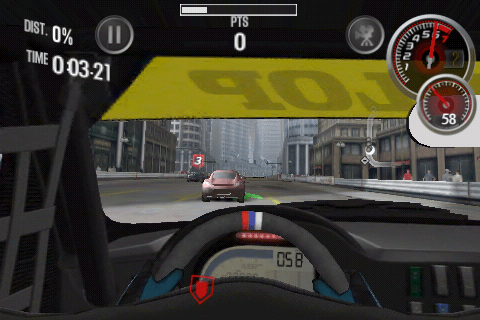
The graphics were quite good, which I had been expecting as EA had been peddling that feature. At times they were a bit pixellated but far better than one would expect from a realistic iOS game. I really like the helmet cam point of view, it provides a stronger interactive sense to the game and I think it helps driving judgement.
Conclusion
I think that EA definitely put some effort into this game and, as iOS racing games go, it was definitely leagues ahead. However, the controls leave something to be desired, difficulty and interest should come from the game itself not the fact that the controls aren’t very user-friendly. Looks-wise its quite swish, the cars are drool worthy, and the tracks don’t feel rushed and have variation to them. Overall, it is quite a good game once you get used to the controls, if you decide to make it feel like you’re actually driving the car as opposed to just letting the game do it for you.
In four hours time, the demo for Final Fantasy Type-0 will be available to Japan. If you don’t have a Japanese PSN account, you can download the demo at the official site of the game. Make sure you have an extra 332 MB of available space and have Version 6.39 Firmware.
The demo will be an updated version of the demo that was present at a Square Enix event in Odaiba. It includes seven characters in four different scenarios. Changes from that demo will include higher difficulties and new camera code.
As a special treat, the demo also includes items of summer clothing for each of the fourteen characters hidden within the demo. These items of clothing will be transferable to the full game, which will be released on October 13th. There is no word on whether the game will leave Japan at this point in time.
If you do decide to download the demo, Andriasang has a summary of the controls.