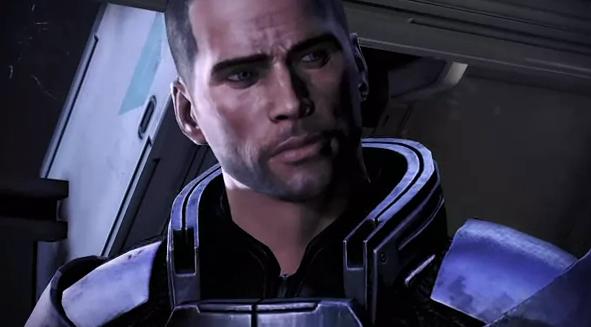
With the Wii U’s release date slowly approaching it is time for companies to release launch titles for the many games that will be joining the Wii U on store shelves everywhere. Today EA chose to release a launch trailer for the Special Edition version of the game which will be released exclusively on the Wii U.
In the trailer you can see some of the things that will make this version of Mass Effect 3 superior to the other versions of the game which have been released earlier this year. The game will be hitting stores with the Wii U on November 18th in North America while various PAL regions will be able to pick it up on November 30th.
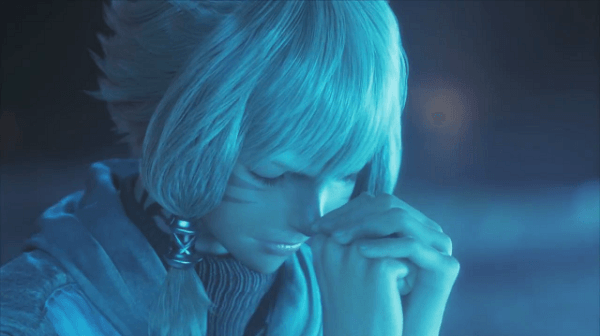
Today Square Enix released a new six-minute CG trailer for Final Fantasy XIV and believe me, you should definitely check it out. Don’t worry about reading the rest of this and even if you haven’t been playing the MMO, you should still check it out below.
Have you watched it yet? Well the trailer itself is called the “End of an Era” and it shows the Eorzean Alliance and Garlean Empire clash in battle in an attempt to “deliver the realm from certain destruction.” As for Final Fantasy XIV A Realm Reborn, a beta test will begin at the end of January or early February.
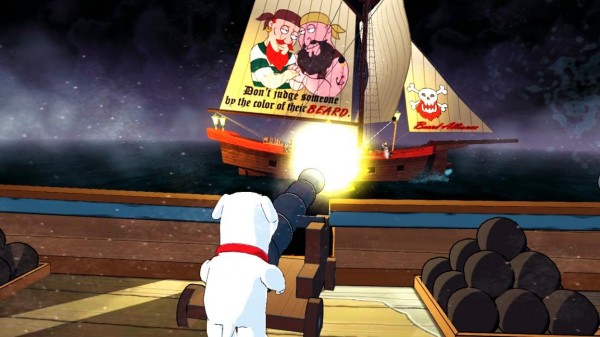
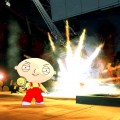
To those who may have forgotten, Family Guy: Back to the Multiverse is due out in just under a month. Today, fans of the hit series have been treated to some new screenshots with some colorful, pirate fare involved.
Though it isn’t a huge shocker, these screenshots show off the “Legend of Long John Peter” level within the game, which will have Brian and Stewie battling pirates. Check out the pics down below, and Back to the Multiverse will be out for the Xbox 360 and Playstation 3 on November 21.
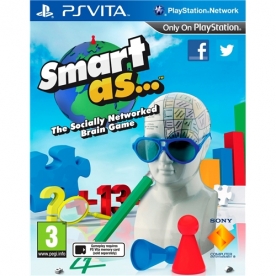
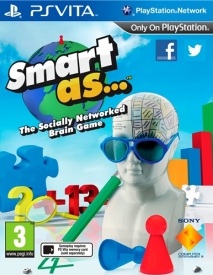
Smart as… Developer: XDev Studios Europe Publisher: Sony Computer Entertainment Platform : PlayStation Vita Release Date: November 1, 2012 Price:$29.99 (available here)
Overview
Ah brain training games. Nintendo arguably started the great educational handheld party with Dr Kawashima’s brain training on the Nintendo DS, following it up with various mind enhancing titles. Sony have decided to step into the brainbox ring with Smart as… a Vita exclusive that aims to fill the same niche filled by Nintendo’s various titles.
It’s not a typical game and no one with any knowledge of the industry should be expecting such. So judging Smart as… as something other than a game, how does it fare?
Happily the Vita and XDev Studios make a good pairing for this kind of game. Where the DS has a single touch screen, the Vita has two and a gyroscope to boot, and manages to throw in camera usage for some VR games and decent internet integration to let you broadcast your smarts (or lack of) to the rest of the world via Facebook and Twitter.
Gameplay
Right, brain training. This niche genre is something that so called hard core gamers can easily dismiss as worthless, but let’s face it – these things can shift units. Now I doubt that many people are going to invest in a Vita over Smart as…, as sadly the initial enthusiasm for this kind of game has waned, but does it top Nintendo’s handheld efforts such as Dr Kawashima’s Brain Training? Easily.
Smart as… is sleek, taking advantage of the Unreal Engine to provide a crisp and well thought out experience that never once misses a step in it’s delivery. It’s simple, something to be played every day in half hour bursts, perfect for short commutes and thus ideal for the Vita. The games provide intriguing little twists on generic puzzles, and John Cleese pops along for a bit of narration. Why British comedians of a certain vintage are Sony’s preferred narrators is beyond me, but for amusements sake can we have Rowan Atkinson narrating a Bastion style RPG next?
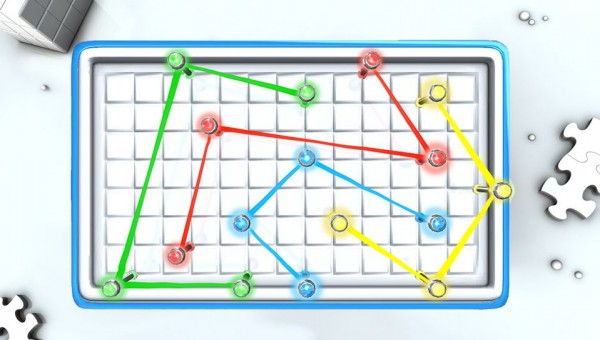
That aside the Smart as… set up is very similar to other brain training games. Players fill out a few rudimentary details such as sex, age and location, and then begin a daily regimen of neuron enhancing mind games. There are four categories on offer here – logic, arithmetic, language and observation – neatly represented by four lobes of the brain.
As well as the daily testing – monitored by a home screen hogging percentage and a wealth of other statistics – there is a free play mode for some more frivolous mind boggling when you want to pick and choose your own games. The touch controls are integral to the game, and work accurately about 95% of the time. Letter and number recognition is strong, with only a few wobbles that will on occasion spoil a game. The gyroscope comes into play for rolling cubes into place, and the front and rear touch screens provide an extra level of trickiness too. Surprisingly there isn’t a single game that stands out as a dud, a rare thing for mini game collections.
Only a handful of the games are available when you first boot up the game, but as you complete your daily training there’s a steady drip feed of new ones to keep up interest levels. As well as the different games, each of those comes in four difficulties, ranging from easy to genius level. Each level has a three star ranking system, with the next step up only unlocked when you three star the previous one. Mathematics based games will get tougher by throwing in decimals, percentages and bigger numbers to man handle, a pattern that is repeated throughout the other three categories – longer words, more complex logic puzzles and trickier things to remember.
Not being able to get straight to the harder puzzles may cause some frustration with overly simple games, but happily the difficulty levels are very distinct from each other and foster a feeling of genuine progression.
The more social side of the Vita is utilised to good effect too. Although it lacks any sort of direct multiplayer, Smart as… integrates a wealth of statistics and high scores via the PlayStation Network and Near. Your performance is ranked from friend to hometown to country level, with assorted league tables to spot the smartest country and even continent in the world. Set a particularly good score on a game in free play and you can create a Near challenge so that others can try to best your efforts. Daily training results can also be posted with ease to Facebook and Twitter, so at least if there is no direct battle of the brains you can create a bit of competition amongst your online friends. The only issue with this wealth of statistics is that the rankings feel a little bit skewed because they only look at one days result, so if you’re a genius on Tuesday it doesn’t matter on Wednesday. A small point, but a niggling one.
Whilst there are still new games to unlock you’ll easily keep Smart as… in daily rotation, but whether or not it will stay there when everything has been revealed is more down to personal preference. What it provides is very well done and the games are all solid efforts, so if this genre is your thing then certainly give it a chance.
Audio & Visual
Smart as… keeps it simple yet slick in the style stakes. Backed up by a decent engine and the Vita’s hardware, the animations are smooth, bright and dynamic, crucially never getting in the way of gameplay. It goes in for a bit of a board game feel, and John Cleese’s narrative quips aid the light hearted atmosphere. Including acted sound clips always runs the risk of them becoming irritating by repetition, but Smart as… toes the line quite neatly, keeping the one liners skippable and the music inoffensive. Indeed Cleese’s clips add a lovely bit of atmosphere to the game, giving it an edge over the rather straight laced and dry brain training games in the Dr Kawashima style. The ever present game piece reminds me of playing ludo as a kid, and the Vita’s power gives everything a very refined sheen.
Overall
Smart as is a reason to pick up your Vita every day. Sure it may only be for half an hour, but that time will be well spent picking your way through some great little mini games. It’s pleasant, low on load times and high on portability, and whilst it’s not exactly what your average gamer would admit to enjoying, it does provide a nice bunch of trophies to soothe that hurt hard core pride. The price tag is a little bit on the steep side for what could be considered a highly polished app, but wallets aside Smart as… is a sensible pick. The intrigue may fade after the initial discovery period, but if you enjoy your brain training the difficulty levels should keep you coming back for more.
Own 007 Legends? Want to play Skyfall in it? Well now you can because the completely free Skyfall DLC mission is out now on Playstation Network and Xbox Live Arcade Marketplace and will be released on Steam on the 20th of November.
In order to promote the release of this epic Skyfall DLC mission, a brand new trailer for the Skyfall mission has launched which shows off the features of the downloadable mission. You can check out the trailer for Skyfall DLC below.
The good folks at the Japan Foundation have so kindly provided us with two double-passes for the 16th annual Japanese Film Festival to giveaway to all of you lovely readers of ours. The Japanese Film Festival will begin this Wednesday the 14th of November at Sydney’s Event Cinemas George St.
We have a double-pass for the Saturday November 17th 3.30pm showing of Bunny Drop and a double-pass for the Tuesday November 20th 6.30pm showing of Space Brothers. So how do you go in the running to win a double-pass to one of these amazing films? Well it’s quite simple really, head over to our official facebook page and comment on the competition post telling us which film you’d like to see and why!
Unfortunately travel is not provided, so it’s best that you only enter if you have a way to get to the film screening. If you can get there, then get in quick as this competition won’t last long. Head over to the facebook page now and get in with a chance for a double-pass to one of these excellent film.
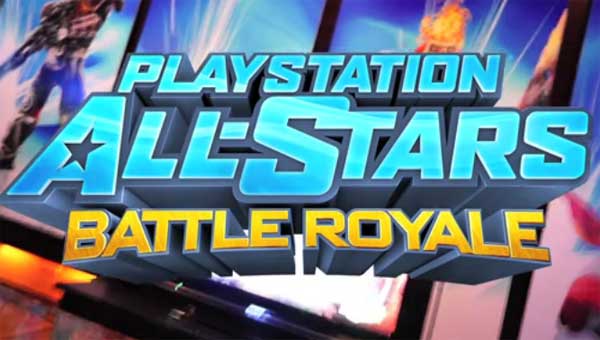
Ahead of its November 20 launch in North America, Sony Computer Entertainment have released the opening cinematic for Playstation All-Stars Battle Royale and have announced that the game has gone gold in a post on the Playstation Blog. The opening features each character fighting their rival in the game. The first rivalry that is shown is Jak and Ratchet. Other notable rivalries include Sweet Tooth and Kratos, Nathan Drake and Sly Cooper and even Sackboy and Big Daddy, which has to go down as one of the biggest mismatches in video game history. Also in the video is the final boss of the game. Check out the video to see who it is.
In addition to the opening cinematic, Seth Killen has revealed in the comments section of the post that the digital copy of Playstation All-Stars Battle Royale (both Playstation 3 and Playstation Vita) will be a day one release and a digital copy of the Playstation 3 version will still nab the purchaser a free digital copy of the Playstation Vita version via the cross-buy initiative. He also reveals that the game will have hundreds of hours of content, replying to a comment:
Beyond arcade mode with intros, endings, and rival cut-scenes for every character and all the multiplayer stuff, All-Stars has tons of interesting challenges and trials (both overall trials and character-specific stuff). Certainly it’s hundreds of hours of content there, and a very extensive set of unlocks, from titles, to taunts, to character-specific intro and outro moves, musical themes, badges, etc. Hope this helps.
Playstation All-Stars Battle Royale will see a release on November 20 in North America, with releases in other territories during that week. Japan’s release has now been pushed to January 2013, two months after the Western releases of the game.
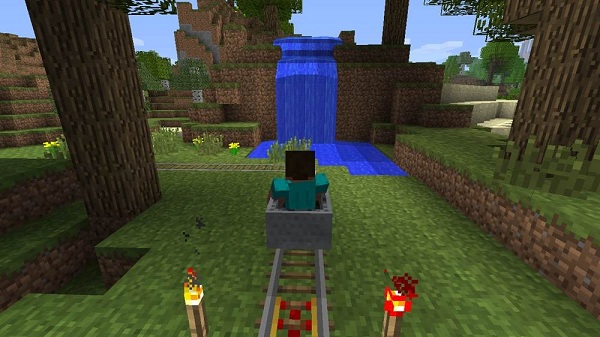
After the major addition that was the Adventure Update for Minecraft XBLA news from the developers 4J Studios has been very quiet. Well the reason for this is because they are hard at work squashing all of the bugs that were introduced into the game with this update. The next patch that will be released contains over a dozen fixes to various glitches such as chest lids not working properly, various hitbox and creative mode issues and much much more which can be found in the list below.
It is worth noting that the company has revealed over Twitter that Golden Apples and Golden Pumpkin Seeds will be added into the game and will be crafted with a golden ingot, though gold nuggets will be used for the recipe once they are added into the game at a later date. Currently there is no release information for this patch so keep an eye out for more info soon.
Changes and Additions:-
– Added an option to clear the quick select bar in the creative interface.
– Added an option to enable or disable bedrock fog, and set to off by default.
– Added an option to toggle the HUD off/on.
– Added an option to turn the player hand off/on.
– Added a crafting recipe for Golden Apples.
– Added a crafting recipe for Pumpkin Seeds.
– Made cakes stackable.
– Added a How To Play page for Host and Player options.
Fixes:-
– Fix for a problem with signs in online games causing crashes.
– Fix for save renaming deleting the wrong save due to input received during the confirmation flow.
– Fix to the mob generation code to increase the number of animals in the world.
– Fix for chests being incorrectly lit, and rotated for maps from previous versions.
– Fix for problem with the eating animation being shown for players who weren’t eating.
– Fix for problem with chest lids not behaving properly.
– Fix for animals looking like they were taking damage when they shouldn’t.
– Fix for some sounds not playing when the player has an empty hand.
– Fix for lever sounds.
– Fix for fence gate sounds.
– Fix for splitscreen players sometimes having their settings zeroed.
– Fix for being damaged while flying over lava.
– Fix to stop lava, milk and water buckets being empty after use in creative mode.
– Fix for Leader of the Pack achievement being awarded incorrectly.
– Fix for leaderboard stats issue where value stored was incorrect.
– Fix for hitbox problems with glass panes and iron fence.
– Fix for small character display changing color to green.
– Fix for map rendering incorrectly in some situations with clouds disabled.
– Fix for block rendering problem at the edge of the map.
– Fix for splitscreen players not being able to mine in the tutorial.
– Fix for players not being able to sprint/sprint-fly in creative mode if the player was previously in survival mode with a low food bar.
– Fix for arrow damage not being ignored when PvP is turned off.
– Fix for activated pressure plates not working correctly.
– Fix for the low food bar hint appearing when loading a game in creative mode (usually the tutorial world saves).
– Fix to remove the player shadow when the Invisible option in the Host Privileges is used.
– Fix for Red Roses not being generated on the terrain.
– Fix for paintings being pushed by pistons.
– Fix so that players who can’t eat, due to the Trust Players option being off, do not get exhausted.
– Fix for the interface disappearing after a Share to Facebook action.
– Fix to limit the number of Slimes, Ghasts and Silverfish that can be spawned in a world.
– Fix for the cursor position in creative mode being able to go offscreen.
– Fix for players showing on maps when they should not be, after the player dies and respawns.
– Fix for capes displaying wrongly when sprint-flying.
– Fix for capes not displaying in the Nether.
– Fix for capes not displaying when the player respawns.
– Fix for tools taking damage in Creative Mode.
– Fix so Bows don’t need or use up Arrows in Creative Mode.
– Reduced the volume of the chest open/close sound effect.
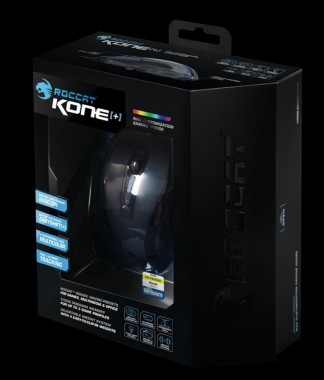
Roccat Kone[+] Developer: Roccat Platforms: PC Price: $79.99 USD Find a Dealer Here
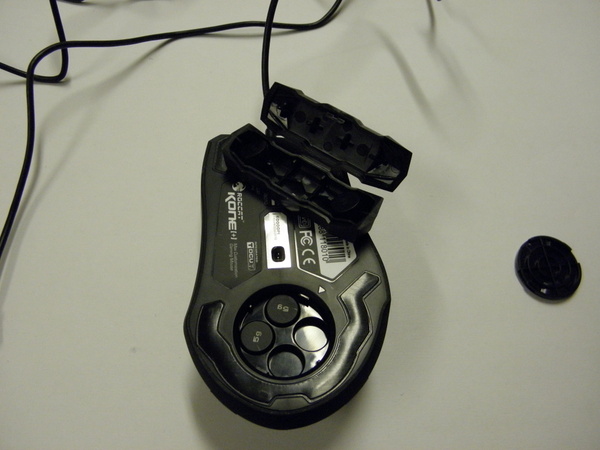
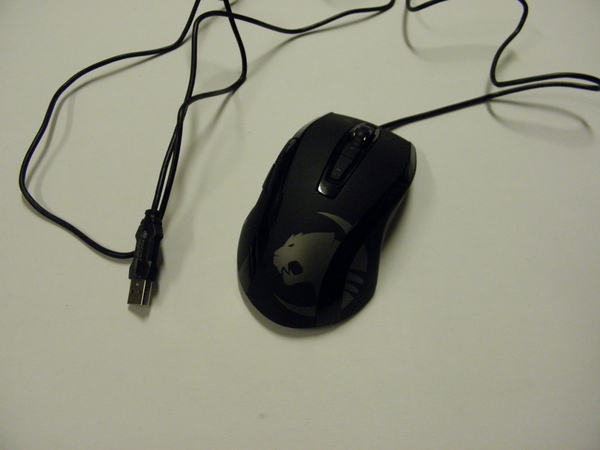
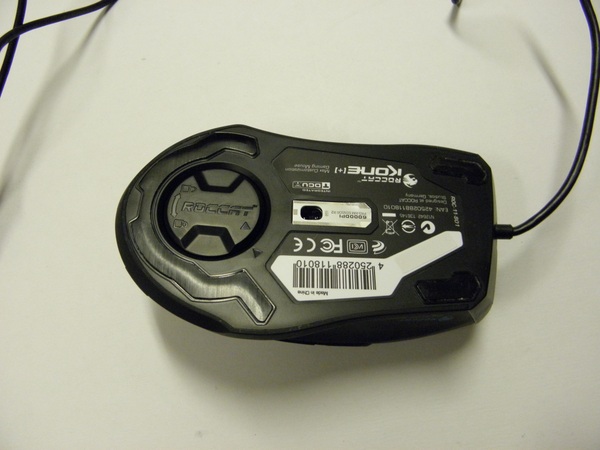
The Roccat Kone[+] is the first Roccat gaming mouse that supports the new Roccat Talk driver system. It sports a four way mouse wheel, five extra buttons, an ergonomic right handed design, an adjustable weight system, four customizable LEDs, onboard memory, and a 6000DPI laser sensor. The Kone[+] is designed to work with the Roccat Isku for an easy aim mode and interchangeable Easy Shift keys.
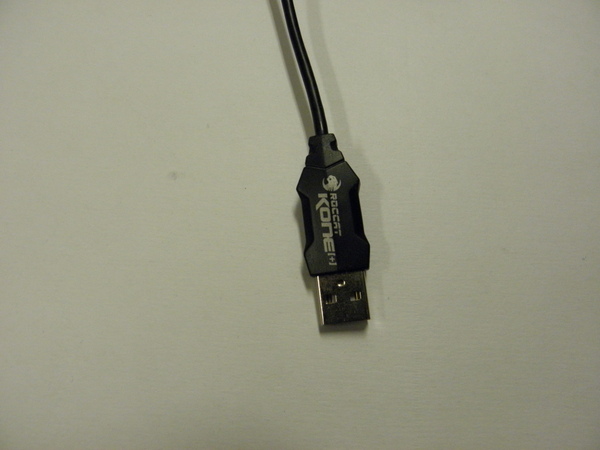
The mouse is extremely light weight and has a small chamber on the bottom of the mouse for four 5g weights. This can add a total of 20g to the Kone[+]’s light weight. Although I personally found the 20g to more weight than I cared for, some who enjoy extremely heavy mice may find the Kone[+] too light. Roccat lists the mouse weight excluding the cable as 126g but does not clarify whether or not this includes the 20g of weights. From the feel of the mouse, I assume that it does not include the extra 20g. There is a generous amount of cabling that seems to be standard these days in gaming mice. So unless your desktop tower is halfway across the room, there should be no problems with running out of cable.
The surface of the mouse is a soft material that is soft and smooth to the touch. It is extremely pleasing; however it feels like the coating is not absolutely perfect. There are a few bumps in the coating that are very minor. They cannot be seen except at extremely close inspection, but due to the extremely smooth surface of the mouse, these imperfections feel extremely obvious to the sensitive touch of a fingertip. I found the ergonomics of the mouse to be very comfortable, even with my small hands. It is a larger mouse so most users will be unable to use a claw grip to operate the mouse effectively. The thumb buttons are located in a very natural position and the two buttons located beneath the mouse wheel are also easily accessed. The button above the mouse wheel is a bit of a challenge to press with small hands.
The lighting on the mouse is at a good level of brightness. It is bright enough to be noticeable without being distracting in a dark environment. The drivers allow for a variety of colour options that can be associated with profiles, different colours can be assigned to each of the four LEDs, and the lights can cycle through the variety of colours with different visual effects. Unfortunately the transition is not always smooth. There is an extremely noticeable switch of colours at certain points as the colours cycle from one to the other.
The Kone[+] is armed with a 6000 DPI laser sensor with a maximum polling rate of 1000mhz. The driver provides options for adjusting the sensitivity of the laser sensor in both a general value and a specific value for the X and Y values of the mouse. It is possible to set exact values for each DPI adjustment setting. However to get a temporary DPI adjustment button where the DPI is temporarily lowered for the duration of a button press for short situations calling for high precision like sniping for long distances, a Roccat Isku keyboard must be used with the Roccat Talk drivers installed. I do not really understand why this button must be bound to a keyboard macro when it could just as easily be bound to a thumb button on the mouse.
I found the tracking capabilities of the Kone[+] to be excellent on mouse pads and a variety of non-optimal surfaces such as books, wooden desks, and some slightly shiny surfaces. The drivers have two tools to further tweak the laser’s tracking ability. The first is the Distance Control Unit. For those who have a tendency to lift the mouse due to a small mouse pad or whatever reason, the Kone[+] can either track normally from a centimeter and a bit lifted from the mouse, stop tracking almost the same moment the mouse feet leave the surface, or somewhere in between. The Tracking Control Unit helps fine tune the tracking capabilities on certain mouse surfaces. This works best on matte single coloured surfaces. I personally did not find a noticeable difference with the TCU on or off the mouse surfaces I tested. In addition, several Windows mouse settings such as pointer such as double click speed can be tweaked from within the driver software.
The driver software provides a powerful set of macro editing features. All nine buttons on the mouse and the four way scroll wheel can be bound to a macro. The macro editor starts with a recording macro feature where the appropriate keyboard keys are pressed to record the macro. An advanced macro editor that looks similar to the timeline layout of an audio editing/creation suite or video editing software is available for fine tuning macros. The Easy Shift key can be bound to either of the thumb buttons or if the Roccat Isku Easy Shift key if the keyboard is used in conjunction with the Kone[+]. This almost doubles the amount of macros available on the mouse at the expense of one key of the mouse thumb buttons. The mouse lights up in a light blue to signify the Easy Shift mode is enabled. I really enjoyed the macro system for the Roccat Kone[+]. It is extremely visual and easy to figure out. My only disappointment was the fact mouse buttons such as left clicks cannot be bound to macros. Profiles can be set to trigger on specific .exes. I really liked the fact that three .exes can be set to each profile, allowing for multiple games with similar control schemes to use a single profile.
The drivers also have an option for audio alerts spoken in the Roccat Voice. The voice can announce profile switches, DPI changes, sensitivity changes, and volume changes through the system speakers/headphones. These can be turned off and on separately or the volume lowered in case you prefer a slightly quieter mouse experience. I did I found the announcement for volume, sensitivity, and DPI changes to be unnecessary, but I enjoyed hearing profile changes being called as I scroll through profiles with the mouse.
Overall, the Roccat Kone[+] is an excellent mouse. At $79.99 USD, the Kone[+] is priced competitively against mice from other manufacturers with a similar feature set. It is by far is on the higher end of the wired gaming mouse market. Although the mouse has some very minor physical imperfections and a few quirks, the powerful driver software, flexible macro capabilities, comfortable feel of the mouse, and strong sensor performance makes it a highly recommended purchase. If an Isku keyboard is being used or purchased at the same time, the Kone[+] becomes a must purchase.
Siren Visual have made some major acquisition announcements today as well as provided further details on the release of Tiger and Bunny. The two new titles acquired by Siren Visual are none other than Fractale and Princess Jellyfish. Both series are scheduled for a release in February 2013. Although it has not been confirmed one can presume that Siren Visual will feature the Funimation dub track on both of these releases.
In regards to Tiger and Bunny, Siren Visual have confirmed that after a long wait, the series will finally release in February 2013. It is still unknown what nature the release will be, but if Siren will be following Viz Media’s release, it will be with a full English dub across a DVD and Blu-Ray. But of course that has not been confirmed and is simply speculation on my part.
What do you think of this licensing news? Let us know what you think in the comments section below.









 Siren Visual have made some major acquisition announcements today as well as provided further details on the release of Tiger and Bunny. The two new titles acquired by Siren Visual are none other than Fractale and Princess Jellyfish. Both series are scheduled for a release in February 2013. Although it has not been confirmed one can presume that Siren Visual will feature the Funimation dub track on both of these releases.