While EA usually keeps a nice little stranglehold on all titles coming out for the PC courtesy of their Origin service, those wanting to pick up SimCity will be able to do so through plenty of different ways as EA has revealed that the game will be available through a number of digital distribution platforms.
Though there is one little issue with the game. In fact, a game that pretty much offers zero online experience and focuses mostly on single player will force you to be connected to the internet whenever you want to play. Seems like always-on DRM isn’t a thing of the past… Then again the Lead designer Stone Librande explains that this is actually for the benefit of the global economy of the game itself among other things, but what about those who want to play their games offline once in awhile?
Active Zone Group is set to release Death Road to PC on March 30th, though various digital distributions, GamersGate, Green Man Gaming and Muve, but wont come to Origin and AWOMO until 2 weeks later. It is also slated to come to PS3 this summer, and while the page for the video mentions Xbox 360 no official listing has been posted about a release for that yet.
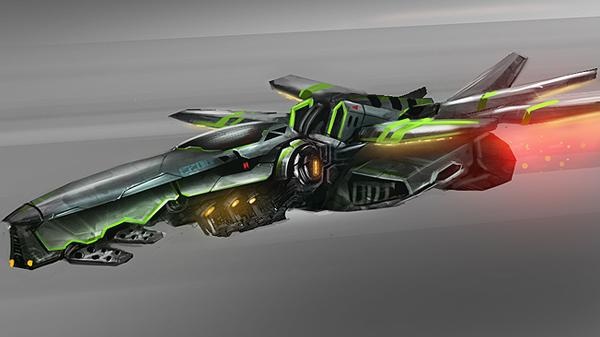
Death Road is a very slick, futuristic style racing game that from the video has an interesting Pod Racer feel to it. Set on the plant of Ameliana, the game will feature 11 vehicles, 8 locations, and an assortment of weapons. Playing solo, the game will feature 55 missions across 4 chapters, that the developer estimates at over 8 hours.
But don’t fret multiplayer lovers, there is indeed head-to-head competition. Modes include fast race, time trial, elimination, mine field, combat, and the hunt; so enthusiasts can find their niche to dominate. Be sure to check it out when it releases.
City Interactive, the studio behind the Sniper: Ghost Warrior series, is developing a FPS exclusively for PC to be released through Steam. World of Mercenaries is going to be a AAA title built with the Unreal Engine 3, but even more than that it will free to play.
From their press release, World of Mercenaries will feature “stunning graphics, fluid controls, customizable weapons, and focus on teamwork.” Hopefully, the focus on teamwork will make it’s gameplay more unique than other FPS games that get away with the players more or less going at it solo or focusing singularly on killing.
While the game gears up for release, those interested in a Beta registration or more information in general should tune into their website here.
As Blades of Time has been available through stores across the world since March 6, gamers have not had the option of playing the demo before purchasing the game. Konami Digital Entertainment is pleased to announce that they have released a downloadable demo for both Xbox Live and Playstation Network.
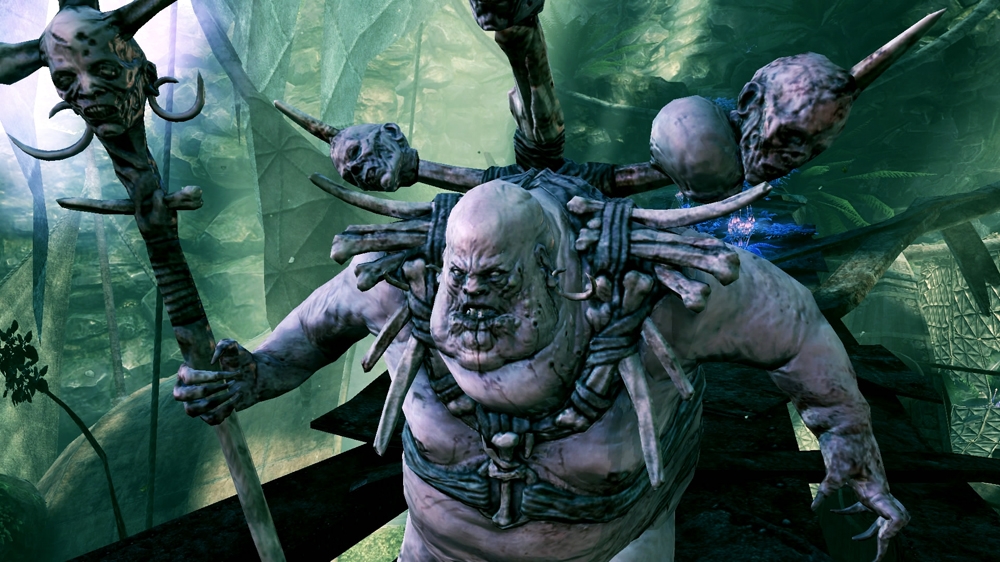
Ayumi. a thrill seeking treasure hunter, has been pulled into a mysterious orb that transported her to ancient, other worldly lands. Holding many untold secrets and bountiful treasures, the lands prove to be dangerous by environments and foes. Ayumi must battle her way passed monstrous beasts to find her purpose and gain the ultimate treasure – freedom.
To aid in your decision, please check out our Blades of Time Review. Happy Treasure Hunting!
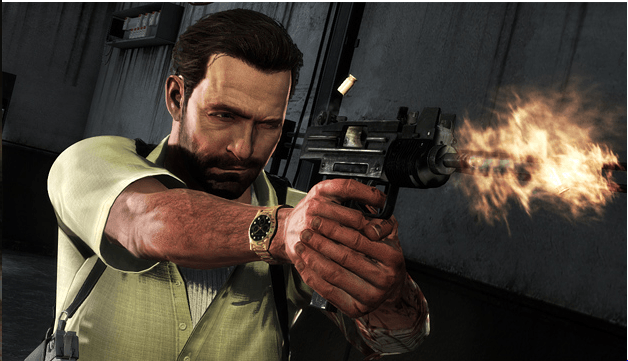
Submachine guns are a weapon that should be in everybody’s arsenal. Especially if you are security expert with the name of Max Payne.
Submachine guns have the lightweight feel of a pistol, so that you can maintain your speed and agility, but also has a quick refire rate of an automatic rifle, so as to maintina a high refire rate to maintain a quick spread of damage. These would be ideal for close quarters combat where aiming won’t be too much of a factor, but where speed and agility will be absolutely necessary. Even better, for smaller SMG’s, like the M10 and the Micro 9mm, you can duel-wield them to really reap in the devastation.
Be sure to check out the official website and trailer, embedded below.
Namco Bandai’s Armored Core V has already landed in North America but now it has touched down worldwide as the game is now available on the PlayStation 3 and Xbox 360 in Australia and New Zealand. Fans of the Armored Core series will be eager to see what type of upgrades this title will have.
FromSoftware’s Armored Core series has always offered intense multiplayer combat and this time around players can customize their mechs with over 500 different parts as they enter 10 player multiplayer battles. With the action focused heavily on tactics and the geography of the level, players will be spending plenty of time strategizing their attacks and taking advantage of the terrain.
Specs
Aluminium and Steel Construction
Rubber Grip
Magnetic Cling Colours: Blue, Silver, Gunmetal Compatible Devices: Compatible with all capacitive touch screens: iPads, iPhones, MacBook Trackpads, Magic Trackpads, HTC, Samsung, Nokia, Motorola, Blackberry Price: $29.99 USD (BUY NOW)
Tablets are great note taking devices. The ability to type, draw, record, take pictures, and keep all your notes in one place is indispensable. There are tons of great drawing apps such as Sketchbook and Penultimate that all benefit from a stylus. However, styli have ballooned from the little cheap plastic sticks from the Palm era to chunky black balled tipped stylus we find today. This is due to the fact modern high quality tablets and smart phones all use capacitive touch screen. This means a material that can conduct electricity needs to be used for the stylus tip. The down side of the chunky capacitive black ball tips is the fact it covers up a lot of screen space. It isn’t particularly accurate compared to a real pen or pencil. Drawing accurately in a small confined area is a hit or miss game of luck. Thankfully we have Adonit coming to the rescue with an innovative and incredibly brilliant why didn’t I think of that solution.
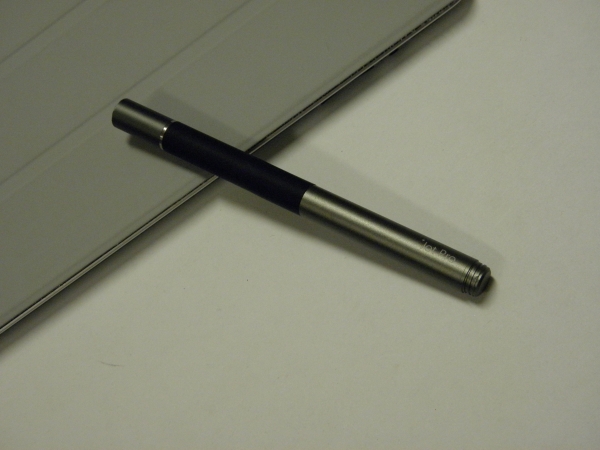
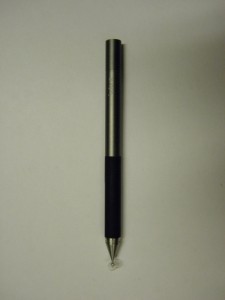
The Jot Pro is made out of aluminium and steel, giving it a weighty balanced feel in the hand. Picking up the Jot Pro screams high quality. The grip area is covered with rubber to provide a comfortable grip. Unique to the Jot Pro is the magnets embedded in the stylus. This allows the Jot Pro to be attached to Smart Covers or the iPad. You can also use the magnetic stylus as a quick way to put your iPad to sleep by sticking the Jot Pro to the magnets on the upper mid right hand side of the screen. The cap screws on smoothly, reflecting a finely machined tool.
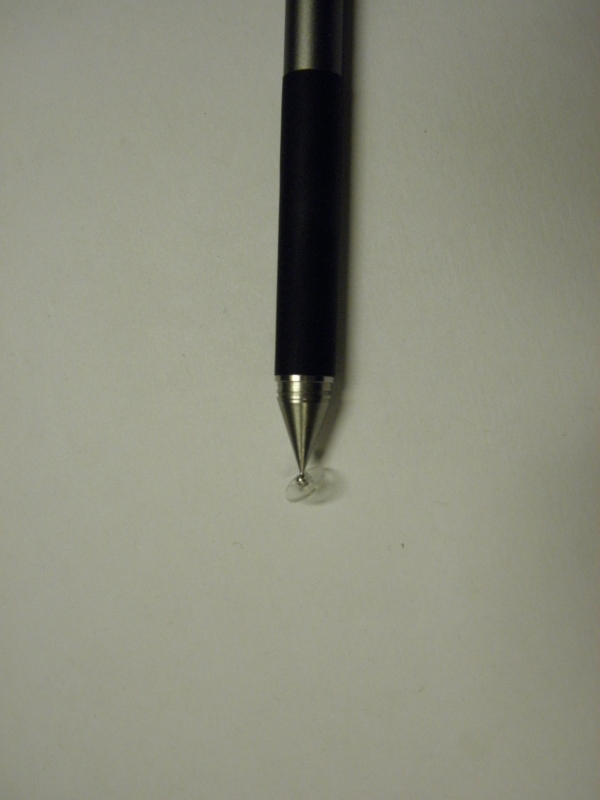
Unscrewing the cap reveals the system that makes the Jot line of styli unique. By using a ball and socket joint to attach a clear plastic disk with a small metal insert inside the plastic disk, the Jot is able to mimic the feel of a ball point pen. The clear plastic disk allows you to see where the exact point of contact is, making your drawing accurate. Because fingers and most styli are not as accurate, Adonit had to create a special app SDK for iOS to allow apps to draw the line exactly where the Adonit Jot is pointing. Apple off sets where it draws lines by default. This is to accommodate the larger fingers and styli often used with iPads. Currently there are only four apps that support Adonit’s SDK, their own Jot Studio, procreate by Savage Interactive, Clibe by Visere, and Note Taker HD by Software Garden.
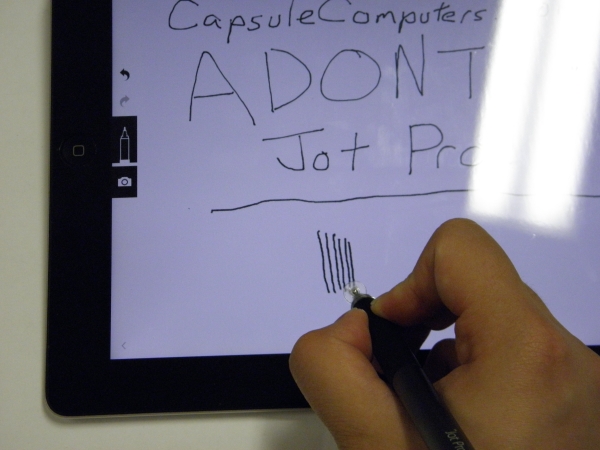
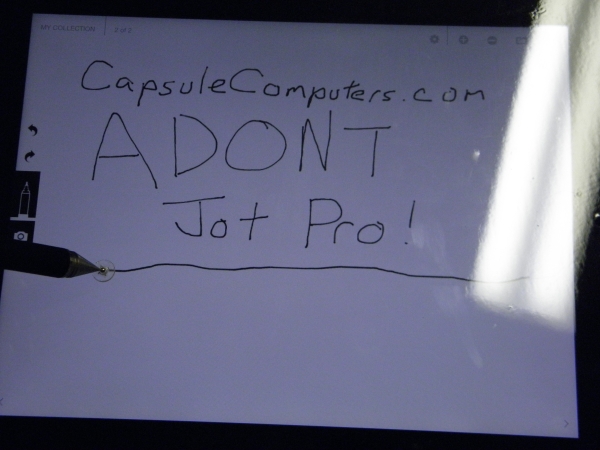
I tested the Jot Pro on multiple applications, including Notability, Sketchbook, Notes Plus, and Adonit’s own Jot Studio. The Jot Pro is extremely accurate, capable of drawing many fine lines with minimal space between them. Though it sounds easy, this is an impressive feat. The clear disk is extremely helpful when drawing tables or doing fine detail work while drawing. However, if you do hold your pen naturally at an extreme angle, the Jot may have difficulty being picked up. The angle that the Jot works is pretty forgiving, but once you pass the limits, it will cause the disk to either lift up off the screen or pop off. I found the best form when writing on touch screen applications in general is to keep your palm off the iPad similar to how you would use a white board marker. Not only does this stop the iPad from detecting your palm, it also ensures the Jot will always stay at a good angle.
There are a few downsides of using the plastic disk versus the traditional rubber ball tip stylus. First of all, the tip can be fragile. Although the first time or two popping the ball into the disk joint will be fine, do it too often and it will cause a small hair line crack in the socket, making it easier to pop off. Also, care must be taken while using the Jot, I’ve almost lost two disks already simply from accidently catching the disk on a sweater and sending it flying. Good luck trying to find a small clear plastic disk on the floor; it’s nearly an impossible task. And at $8 USD for a set of two replacement disks, it can be quickly become an expensive accident for a clumsy person like me. Also, due to the larger surface area touching the screen, it can be easy to scratch a screen or screen protector by trapping grit underneath the disk. I personally have notes from a math lecture permanently scratched into a screen protector when I learned this lesson the hard way. I strongly recommend giving the screen and the bottom of the disk a quick wipe before using it. The plastic itself should not be enough to scratch screens or screen protectors on its own.
The next issue is the fact the Jot is incompatible with the popular vinyl type screen protectors. As listed on the Jot website, certain Zagg, Ghost Armour, Bodyguardz, and Wrapsol type screen protectors are too sticky for the disk to glide properly. Harder, static cling type protectors and bare screen work perfectly with the with the Jot Pro stylus. Upon suggestion of a Jot owner on Kickstarter, I placed a layer of clear scotch tape on the bottom of the disk, and lo and behold, my Jot Pro works perfectly again. Though I only had a cloudy matte tape at home to use, I can still see clearly enough through it to not hinder my ability to see through the disk. My Jot Pro now slides effortlessly across my Bodyguardz screen protector. Strangely enough, the newer Jot Mini does not carry similar warnings in regards to incompatible screen protectors.
Overall the Jot Pro is a great stylus for serious writers and artists looking to upgrade their tablet experience. At $29.99 USD, the Jot Pro is not cheap, but the build quality reflects the price. The Jot Pro is made of weighty aluminum and steel, with incredibly strong magnets. Though there are some hiccups with the disk system that requires a certain level of care and possibly a bit of end user hacks to use, the precision disk is an absolute joy for writing and drawing. Between my Bluetooth keyboard and my Jot Pro, I have literally ditched paper for writing notes during lecture for my iPad. Unfortunately, the 30 dollar sticker price may be a bit too much to justify for some people. Those who are still interested but unwilling to pay that much may want to look into the regular Jot that forgoes the magnets and rubber grip for $19.99 or the smaller Jot Mini for $21.99. If you write or draw heavily on your tablet, I strongly recommend the Jot Pro.
While the release date for Aksys Games’ Zero Escape: Virtue’s Last Reward may still be plenty of months away, it never hurts to take a look at what the game’s box art will look like correct? Also if you are feeling a bit free with your money at the moment you can go ahead and pre-order the game now through multiple online retailers.
Also it is worth noting that while the game is coming out on both the PlayStation Vita and the Nintendo 3DS, the Vita version is obviously the best one to highlight as the system has a very anemic line-up and Virtue’s Last Reward could be the best reason to pick up a Vita later this year.
As of late, Gamemill have been bringing popular toys into the video game universe quite frequently, and their latest conversion has hit the Nintendo DS today in the form of Gogo’s Crazy Bones. For those unfamiliar with the craze, Gogo’s Crazy Bones is…you guessed it, a popular toy series that involves collecting small figurines and learning at the same time. Yes, it’s for the younger crowd, but we all know how infectious this genre can be. This series has been around for a while, but having a DS title spawn from the toy line is sure to hit a few nostalgia “bones” for the older crowd as well.
The game itself will include a ton of content, with over 70 puzzles and 30 favorite Gogo’s to collect, each one with a unique name, design, personality and special ability, making for a unique experience for each player involved. You can check out the screenshots below, and find Gogo’s first digital experience in stores today!
2K Games have been as of late releasing a multitude of character trailers for their upcoming blockbuster third instalment in the Bioshock franchise, Bioshock Infinite. The latest trailer focuses on the Siren character.
You can check out the Bioshock Infinite Siren character trailer below. The Siren character is an enemy that the player will encounter in Bioshock Infinite. The Siren will play a major role in the game and is one of the major enemies featured in Bioshock Infinite.
Bioshock Infinite is set for release on the 19th of September, 2012 on the Xbox 360, Playstation 3 and PC. What do you think of the Siren? Let us know in the comments section below.